contact@synergytop.com
 +1 619-349-4911




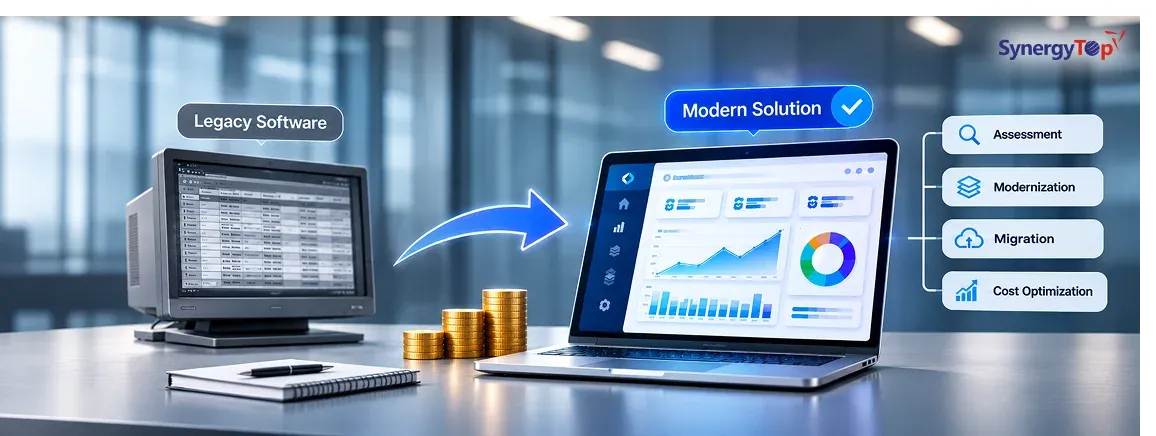


Replacing legacy business software can cost anywhere from $25,000 for a focused modernization project to $200,000 or more for a complex business application with multiple integrations, historical data, custom workflows, and mission-critical operations. Large enterprise platforms can cost considerably more.
But for most businesses, the real question is not simply, “How much will a replacement cost?” It is whether the current software is already costing more through maintenance, manual work, slow processes, failed integrations, technical debt, and missed opportunities.
Many legacy applications still work. That is exactly why companies keep postponing replacement. Employees learn workarounds, IT teams patch issues, reports are exported manually, and new requirements are added wherever possible. Over time, however, every new feature becomes harder to implement and every integration takes longer than expected.
Eventually, businesses reach a point where maintaining the old system no longer makes financial sense.
How Much Should You Budget for Legacy Software Replacement?
A realistic budget depends on whether the application needs a partial modernization, complete rebuild, or replacement with another platform.
| Project Type | Typical Planning Budget |
| Legacy application assessment | 5,000–15,000 |
| Modernize or replace one module | 25,000–60,000 |
| Mid-sized application modernization | 40,000–100,000 |
| Full custom business application rebuild | 75,000–200,000+ |
| Complex enterprise platform replacement | 200,000–500,000+ |
These are planning ranges rather than fixed prices. A system with ten screens may still be expensive if those screens depend on several databases, complex business rules, third-party APIs, and years of historical information.
Microsoft’s application modernization guidance recommends assessing whether an existing application should be rehosted, replatformed, refactored, rebuilt, replaced, retained, or retired before committing to a specific modernization approach. Microsoft application modernization guidance
That assessment is often where businesses save the most money because a complete rebuild is not always necessary.
Before You Replace the System, Calculate What It Costs to Keep It
Legacy software costs usually appear gradually. Employees spend extra time correcting data, IT teams fix recurring problems, reports require manual exports, and integrations need constant attention. None of these expenses may look large individually, but together they can create a substantial annual cost.
Consider a business where eight employees each spend four hours per week dealing with manual work caused by an outdated system. That equals 1,664 hours every year. At an average loaded employee cost of $50 per hour, the business is already spending around $83,200 annually on inefficient work.
That calculation does not include downtime, security risk, customer frustration, missed sales, slow product launches, or the cost of developers maintaining outdated technology.
This is why a $75,000 modernization project may be financially reasonable if the existing application is creating similar losses every year.
IBM identifies technical debt, operational risk, outdated infrastructure, limited scalability, and difficulty adapting to new requirements as common drivers for legacy application modernization.
What Actually Makes Legacy Software Expensive to Replace?
The visible user interface is rarely the most difficult part of the project. Most of the development effort sits underneath it.
One major factor is undocumented business logic. Older systems often contain years of rules that were added gradually. Certain customers may receive different pricing, particular transactions may require additional approvals, or reports may exclude specific records based on historical requirements. Employees may know these rules even when the documentation does not.
If the application is rebuilt without discovering these dependencies, the new software may look better while producing incorrect business results.
Data migration is another major cost factor. A legacy platform may contain years of customers, orders, invoices, transactions, product records, documents, and audit history. That data may include duplicates, inconsistent formats, missing fields, and outdated records. Migrating it safely requires more than copying one database into another.
IBM also identifies data migration, integration complexity, and maintaining business continuity as major challenges during application modernization.
Integrations Can Change the Entire Project Budget
Most business applications do not operate independently. Your legacy platform may already exchange information with a CRM, ERP, accounting system, payment gateway, warehouse application, shipping provider, mobile app, or third-party service.
Each integration needs to be identified and tested before the old system is retired.
For example, replacing an internal order-management application may appear simple until the development team discovers that it also sends data to accounting software, updates inventory, triggers customer emails, calculates shipping charges, and feeds management dashboards.
This is why businesses should document the surrounding ecosystem before requesting a replacement quote.
SynergyTop has experience building and integrating complex custom applications, including systems that synchronize large data volumes between different databases and business platforms. You can review an example in this data synchronization case study.
Do You Need to Rebuild the Entire Application?
In many cases, no.
A better modernization strategy is to divide the application into four groups: what should stay, what should be improved, what should be rebuilt, and what should be removed.
For example, the existing database and core calculations may still work correctly while the user interface, reporting system, and integrations create most of the problems. Replacing only those components may reduce both cost and operational risk.
Modernization may be more appropriate when the application’s core logic is still valuable, employees understand the workflow, and only certain areas prevent the business from growing.
A complete rebuild becomes more reasonable when the underlying architecture makes every change difficult, security updates are becoming risky, performance is poor, or the technology can no longer support modern integrations.
SynergyTop’s Application Management Services support phased modernization and improvement of existing applications rather than assuming every legacy system needs to be replaced from scratch.
What About Downtime During Migration?
For many businesses, this is a bigger concern than the development cost.
A critical application cannot simply disappear for several weeks while employees wait for the replacement.
A safer migration often involves running the legacy and new systems together temporarily. Teams can compare data, reports, calculations, integrations, and workflows before making the final switch.
A typical migration may follow this sequence:
Assessment → Architecture → Development → Data Migration → Parallel Testing → User Validation → Final Cutover
Running both systems temporarily adds some project effort, but it reduces the risk of discovering major issues after the legacy application has already been switched off.
For businesses handling customer orders, financial transactions, healthcare workflows, inventory, or other mission-critical operations, that additional validation can be essential.
Can You Add AI Without Rebuilding Everything?
This has become an increasingly common reason companies start reviewing their legacy applications.
Businesses want AI assistants, intelligent search, automated document processing, forecasting, workflow automation, or AI agents, but their existing architecture was never designed to support those capabilities.
That does not always mean the entire platform needs to be replaced.
A modern API layer, integration service, or new module can sometimes allow AI to work with an existing application while the core system remains intact.
SynergyTop explains this approach in its guide on adding AI to existing software.
The right question should therefore be whether your current architecture can safely support what you want to build next.
If it can, selective modernization may be enough. If it cannot, a deeper rebuild may create better long-term value.
How Can Businesses Reduce Legacy Replacement Cost?
The biggest cost-saving opportunity is defining the project correctly before development begins.
Do not start with a requirement such as “rebuild our old application.”
Start by identifying where the current system creates the most business pain. That could be slow reporting, manual data entry, difficult integrations, outdated workflows, poor performance, or an inability to launch new features.
Once those problems are identified, the development team can determine whether each part should be modernized, rebuilt, integrated, or retired.
You may discover that 60% of the current application still works well, while only 40% requires significant change.
That is very different from paying to rebuild 100% of the system.
This is also why a technical discovery or modernization assessment can be valuable before requesting a full development quote.
How Do You Know Whether Replacement Is Worth It?
A replacement project usually makes sense when several problems are happening at the same time.
Maintenance costs are increasing. Feature development is slowing down. Employees rely on manual workarounds. Integrations frequently fail. Reporting is delayed. Security upgrades are becoming difficult. The system cannot support new customer expectations or automation.
If these issues are already affecting growth, delaying modernization may simply move the cost into another budget: operations, support, IT maintenance, lost productivity, or missed opportunities.
The objective should not be to own newer technology.
The objective should be to remove the technical limitations that are costing the business money.
FAQs About Legacy Software Replacement
1. How much does it cost to replace legacy business software?
A focused module replacement may start around 25,000–60,000, while a mid-sized business application may require 40,000–100,000. Complex integrated platforms can reach 75,000–200,000+, depending on business logic, data migration, security, integrations, and scale.
2. Do we have to replace the entire application?
No. Many systems can be modernized in phases. Stable functionality can remain while problematic modules, interfaces, integrations, or infrastructure are improved separately.
3. How long does legacy software replacement take?
A smaller modernization project may take a few months. Larger business applications may require several phases for development, data migration, integration testing, and user validation.
4. Can we migrate without stopping daily operations?
Yes. For critical systems, businesses can run the legacy and new applications in parallel until data, reports, calculations, and workflows have been validated.
5. What is usually the most expensive part?
The most difficult areas are often undocumented business logic, historical data migration, third-party integrations, security requirements, and testing rather than the visible user interface.
6. Should we modernize or rebuild?
Modernize when the core application still works and only certain components create problems. Consider rebuilding when the architecture prevents scaling, integration, security improvements, or future product development.
7. Can AI be added to legacy software?
Sometimes. AI functionality can often be introduced through APIs, integration layers, or new services without replacing the complete application. The existing architecture needs to be assessed first.
Get a Legacy Software Replacement Estimate
If your current application is becoming expensive to maintain, difficult to integrate, or too slow to support new business requirements, you do not need to decide whether it should be rebuilt before speaking with a development team.
Start by sharing the current system.
Tell us what the software does today, which areas create the most problems, which integrations must remain, how many users depend on it, how much historical data exists, and what the business needs next.
SynergyTop provides Custom Software Development Services and application modernization support for businesses that need to improve existing software without creating unnecessary replacement risk.
Our objective is to determine what can stay, what should be modernized, what needs rebuilding, and how the migration can happen safely.
Get Your Legacy Software Replacement Cost Estimate
Share your existing application and current challenges with SynergyTop to get a project-specific modernization recommendation, migration approach, estimated timeline, and development quotation.