contact@synergytop.com
 +1 619-349-4911




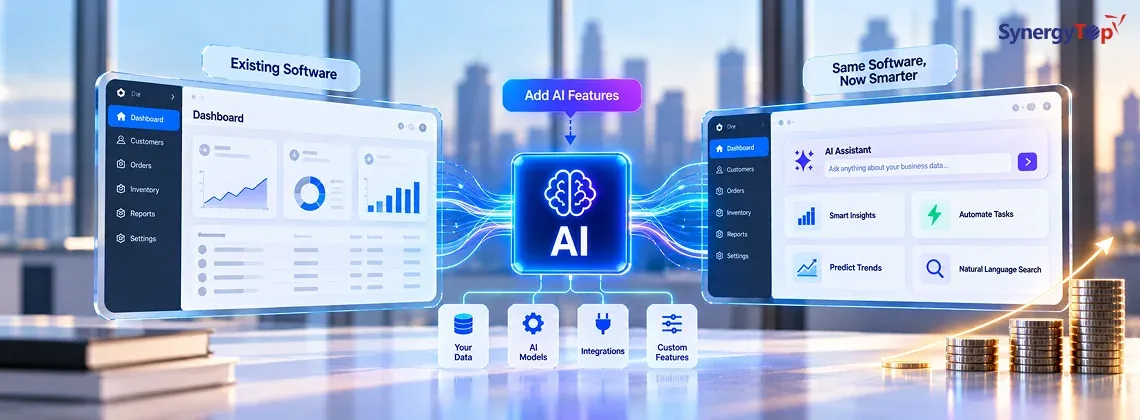


You already have software that works. It may be a CRM, ERP, SaaS platform, mobile app, customer portal, or internal business system.
Now you want to add AI.
Maybe you want an AI assistant that can answer customer questions using your company data. Maybe you want to automate invoice processing, summarize reports, qualify leads, or let an AI agent complete repetitive tasks inside your existing software.
The first question is usually:
How much will it cost to add AI without rebuilding everything?
In many cases, businesses can extend their existing applications rather than replace them completely. If you’re already evaluating this route, understanding how custom software development works alongside existing systems can help you determine where AI should fit.
As a preliminary planning range, adding AI features to existing software can cost approximately $5,000 for a focused feature to $100,000+ for a complex enterprise AI integration.
But the feature itself is only part of the cost. Your existing architecture, data, integrations, security requirements, and the actions AI is allowed to perform can have an even bigger impact.
Let’s break down what you may actually need—and what you may not.
How Much Does It Cost to Add AI to Existing Software?
A simple AI feature that summarizes text requires significantly less engineering than an AI agent that reads customer information, checks an ERP, updates a CRM, and triggers a business workflow.
Here are useful preliminary planning ranges:
| AI Integration | Example | Preliminary Cost |
| Focused AI Feature | Summarization, classification, content generation | 5K–15K |
| AI Chatbot / Assistant | Customer or employee support | 8K–25K |
| RAG / Company Knowledge AI | Answers using private business data | 15K–40K |
| AI Workflow Automation | Documents, CRM, ERP or operational workflows | 20K–60K |
| Integrated AI Agent | Multiple systems, tools and business actions | 30K–100K+ |
These are planning estimates, not fixed quotations. The actual investment depends on what already exists and how deeply AI needs to interact with your business.
For example, connecting an AI model to a text box is relatively straightforward.
Connecting AI to your CRM, customer database, document library, payment system, and internal approval process is an integration project—not simply an AI API implementation.
What Actually Changes the Cost of AI Integration?
Before asking which AI model to use, there are five questions that usually matter more.
1. What Does Your Existing Software Look Like?
An application with modern APIs, structured databases, stable backend services, and clear authentication is generally easier to extend.
If your existing software has limited APIs, tightly coupled legacy code, undocumented workflows, or difficult-to-access data, additional engineering may be required before AI can be integrated reliably.
This doesn’t automatically mean you need a rebuild.
It means the existing application needs to be assessed before anyone can give you a meaningful estimate.
2. Does AI Need to Generate, Recommend, or Act?
This is one of the biggest cost differences.
Consider three versions of the same support feature.
Generate
“Summarize this customer complaint.”
Recommend
“Analyze this complaint and recommend what the support team should do next.”
Act
“Analyze the complaint, check the customer’s account, verify eligibility, create a refund request, update the CRM, and notify the customer.”
The first requires AI generation.
The second requires business context.
The third requires AI to interact with real systems.
As you move from Generate → Recommend → Act, development complexity usually increases because you need more integrations, business rules, permissions, validation, testing, and monitoring.
3. What Data Does AI Need?
Your AI feature may need information from:
- CRM or ERP
- SQL databases
- PDFs and internal documents
- Helpdesk software
- Cloud storage
- Inventory systems
- Product documentation
- Internal or third-party APIs
If everything AI needs is available through one clean API, integration can be relatively straightforward.
If information is spread across several systems, duplicated, outdated, or poorly structured, additional integration and data work may be necessary.
4. Does AI Need Access to Private Company Knowledge?
If AI needs to answer questions using internal documentation, policies, product information, or other proprietary data, you may need Retrieval-Augmented Generation (RAG).
According to AWS guidance on grounding and Retrieval-Augmented Generation, RAG can retrieve relevant information from curated knowledge sources and provide that information as context to an AI model.
Instead of expecting the model to already know your business information, the system retrieves relevant company data when a user asks a question.
A simplified architecture looks like:
Existing Software → AI Integration Layer → RAG/LLM → Authorized Company Data → Response
RAG can be useful for:
- Customer support
- Internal knowledge assistants
- Product documentation
- Policy search
- Employee support
- Technical knowledge bases
However, document processing, retrieval, permissions, storage, and evaluation add implementation work.
5. What Is AI Allowed to Access or Change?
Security becomes particularly important when AI is connected to business systems.
An employee asking:
“How many vacation days do I have?”
should not automatically gain access to another employee’s HR information.
Similarly, an AI support assistant shouldn’t issue a refund simply because a customer asks for one.
Your implementation may therefore need:
- Authentication
- Role-based access control
- Data permissions
- Audit logging
- API authorization
- Human approval
- Error handling
The NIST AI Risk Management Framework provides a useful broader framework for considering trustworthiness and risk when designing, developing, deploying, and using AI systems.
The more authority you give AI, the stronger your controls need to become.
What Could a Real AI Integration Cost?
Consider a SaaS company that already has a customer portal, backend APIs, authentication, and approximately 2,000 help documents.
The company wants customers to ask questions and receive answers based on its own documentation and selected account information.
A preliminary project could look like:
Existing system: SaaS customer portal
AI feature: RAG-based support assistant
Data: Product documentation + selected customer records
Integration: Existing APIs and authentication
AI permissions: Read and answer only
Illustrative implementation: 18,000–30,000
Why isn’t this simply a $5,000 chatbot?
Because the assistant must understand company-specific information, retrieve the right documents, respect user permissions, integrate with the existing application, and be tested against real customer questions.
Now change one requirement.
The company wants the AI to also:
- Create support tickets
- Update account information
- Check subscription status
- Trigger approved workflows
The project becomes more complex because AI is now taking actions.
That requires additional APIs, business rules, validation, security, monitoring, and potentially human approval.
This is why the better estimation question isn’t:
“How much does an AI chatbot cost?”
It is:
“What does AI need to know, which systems must it access, and what should it be allowed to do?”
Which AI Architecture Do You Actually Need?
Not every business needs an AI agent.
Choosing a simpler architecture when it can solve the problem can reduce both implementation cost and operational risk.
| Approach | Best For | Complexity |
| AI API | Summarization, generation, classification | Lower |
| RAG | Company knowledge, document Q&A, support | Medium |
| AI Workflow | Repetitive multi-step processes | Medium–High |
| AI Agent | Tools, systems and controlled actions | Higher |
AI API
The simplest architecture might be:
Input → AI Model → Output
This can work well for summarization, classification, text generation, or basic analysis.
Businesses considering this type of implementation can also review SynergyTop’s broader AI-powered custom software development capabilities to understand how AI functionality can fit into an existing software environment.
RAG
If the AI needs company knowledge:
Question → Retrieve Relevant Data → AI → Answer
This is commonly useful for customer support, internal knowledge, policies, technical documentation, and employee assistants.
AI Agent
If the system needs to perform actions:
Request → AI → Business Data + Tools + APIs → Action
An agent may check records, use software tools, update information, or trigger workflows.
This is powerful, but you shouldn’t pay for agent-level complexity if a simpler AI integration can solve the business problem.
Can the AI Investment Pay for Itself?
Before deciding whether $20,000, $40,000, or $80,000 is expensive, compare the investment with the cost of the problem you’re trying to solve.
Consider a hypothetical customer-support operation.
Suppose employees collectively spend 400 hours every month answering repetitive requests.
If a well-designed AI implementation could reduce that workload by 25%, that represents:
400 hours × 25% = 100 hours/month
Now assume, purely for illustration, that the loaded cost associated with this work is $30 per hour.
100 hours × $30 = $3,000/month
That’s approximately $36,000 in annual employee capacity.
If the implementation costs $20,000, management can compare that investment against the potential operational value.
This does not mean AI is guaranteed to save $36,000.
Actual ROI depends on accuracy, adoption, request volume, human review, ongoing AI costs, and how the organization uses the recovered employee capacity.
Model usage should also be included when estimating ongoing expenses. For example, OpenAI’s official API pricing shows that model and tool usage can have different consumption-based costs.
The discussion should therefore move from:
“How much does AI cost?”
to:
“Is this business problem valuable enough to justify solving with AI?”
That’s a much better investment question.
Should You Integrate AI or Rebuild Your Software?
Adding AI doesn’t automatically mean replacing your existing application.
| Current Situation | Direction to Evaluate |
| Existing application works reliably | Add AI |
| APIs and data are accessible | Add AI |
| You need a few targeted AI features | Add AI |
| Core architecture is outdated | Consider modernization |
| Required data cannot be accessed safely | Integration/modernization may be needed |
| Major product redesign is already planned | Compare modernization vs rebuild |
If your software already performs its core business function well, an AI integration layer may allow you to preserve that investment.
This is also where an experienced custom software development partner can evaluate whether AI should be layered onto the existing system or whether targeted modernization is required first.
The goal isn’t to avoid rebuilding at all costs.
It’s to avoid rebuilding software that doesn’t need to be rebuilt.
What AI Feature Should You Build First?
A common mistake is starting with:
“We want AI in our product.”
Instead, start with a business problem.
Look for a workflow that is:
Repetitive + Time-consuming + Expensive + Data-driven
Good candidates include:
- Customer-support questions
- Invoice or document processing
- Internal knowledge search
- Report summarization
- Lead qualification
- Document extraction
- Recommendation generation
- Repetitive operational workflows
Then ask four questions:
How much time does this process consume today?
How much of it could realistically be assisted or automated?
What data would AI need?
What would happen if AI made a mistake?
The best first AI project is not necessarily the most impressive one.
It’s often the smallest implementation capable of producing measurable business value.
Start there, measure accuracy and adoption, understand the operating cost, and expand only when the results justify it.
How Much Would It Cost to Add AI to Your Software?
At this point, a generic article can only take you so far.
Your actual cost depends on your existing software architecture, technology stack, data, APIs, business rules, security requirements, and the AI functionality you want to introduce.
SynergyTop works across AI development and custom software engineering, allowing the technical assessment to consider both the AI requirement and the application it needs to work with.
The objective isn’t to add the maximum amount of AI.
It’s to determine:
What can stay?
What needs to change?
Where should AI connect?
What should AI be allowed to do?
What is the smallest useful version worth building first?
Get a Preliminary AI Integration Estimate
Share your:
- Existing software type
- Current technology stack
- AI feature you want to add
- Systems or data the AI needs to access
An initial assessment can help identify:
✓ Whether AI can potentially be added without rebuilding your application
✓ A suitable high-level integration approach
✓ Major technical dependencies and risks
✓ A preliminary development cost range
Get My AI Integration Estimate
Frequently Asked Questions
1. How much does it cost to add AI to existing software?
A focused AI feature may cost approximately 5,000–15,000, while RAG applications, workflow automation, multiple integrations, or AI agents can range from $20,000 to $100,000+. These are planning ranges; actual pricing depends on architecture, data, integrations, security, and functionality.
2. Can AI be added without rebuilding existing software?
Often, yes. AI can frequently be introduced through APIs or a separate AI service layer while your existing application remains the primary system.
3. How long does it take to integrate AI into existing software?
A focused integration may take a few weeks. More complex implementations involving RAG, multiple business systems, advanced permissions, or AI agents may take several weeks to a few months.
4. Do I need RAG or an AI agent?
Use RAG when AI primarily needs to retrieve and answer questions using company information. An AI agent may be more appropriate when AI needs to use tools, interact with other systems, and perform controlled business actions.