contact@synergytop.com
 +1 619-349-4911




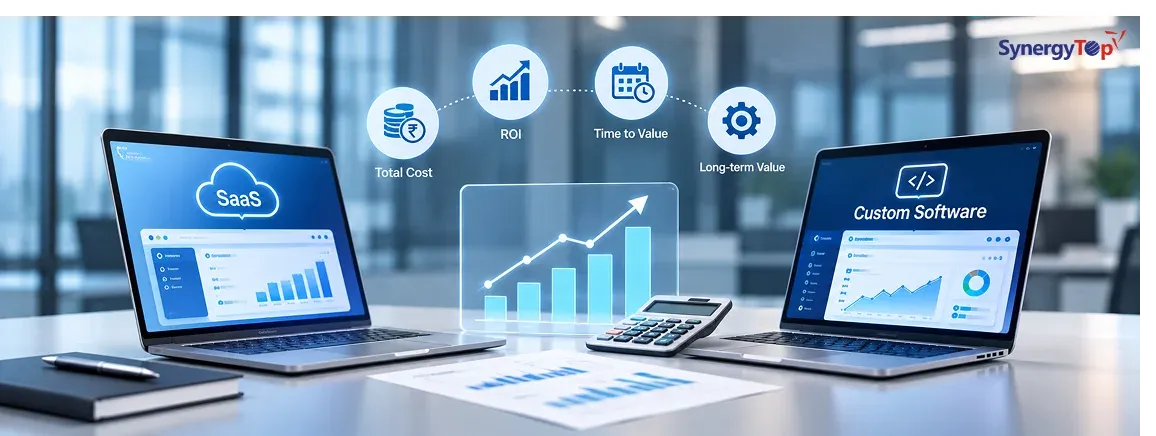


Most businesses choose SaaS for a good reason. It is quick to deploy, requires little upfront investment, and allows a team to start working without building or maintaining its own software. When you have 10 or 20 users and the product covers most of your requirements, paying a monthly subscription often makes far more financial sense than developing a custom application.
The calculation begins to change as the business grows. More employees need licenses, premium features move you into higher-priced plans, integrations require additional tools, and teams start using Excel or manual processes because the SaaS platform does not completely match the way the business operates.
At that stage, the question is no longer whether SaaS is cheaper to start with. The more useful question is: Will continuing to rent this software cost more over the next three to five years than owning a system built around our operations?
Custom software does not make financial sense for every company. But when licensing costs, workarounds, integrations, and lost employee time start accumulating, it is worth calculating the real cost of your current setup.
SaaS Costs More Than the Subscription on Your Invoice
Imagine your company uses a specialized operations platform for 80 employees at $100 per user per month. The license alone costs $96,000 per year.
That may still be perfectly reasonable if the software solves the problem.
But now assume the business also spends $15,000 annually on additional modules, $12,000 on integration tools, and another $10,000 on reporting or support services. Your direct software cost is already above $130,000 per year.
The bigger cost may be hidden inside daily operations.
If five employees spend five hours each week exporting information, reconciling systems, updating spreadsheets, or preparing reports because the SaaS platform cannot handle an important workflow, that equals 1,300 employee hours every year. At an average loaded cost of $45 per hour, that is another $58,500 in operational cost.
Your $96,000 SaaS product may therefore be creating closer to $190,000 in annual cost.
This is why a proper build-versus-buy decision should look at total cost of ownership rather than subscription price alone. Microsoft’s guidance on SaaS cost management and architecture similarly emphasizes understanding the broader cost model around software, infrastructure, usage, and operations.
When Does Custom Software Start Making Financial Sense?
Custom software becomes worth evaluating when your three-to-five-year cost of continuing with SaaS becomes large enough to justify ownership.
Suppose your current combination of software licenses, integrations, support, and manual work costs approximately $180,000 per year. Over three years, the business may spend roughly $540,000.
Now imagine a custom platform costs $200,000 to build and another $45,000 annually for hosting, maintenance, support, and continuous improvements. Its approximate three-year cost would be $335,000.
That does not automatically mean custom software is the better choice. Development risk, implementation time, maintenance responsibilities, and future requirements still need to be considered.
However, it shows why comparing a $200,000 development quote with one month of SaaS fees gives the wrong answer. The comparison needs to cover several years.
If your company has reached this point, a custom software development assessment can help determine whether the savings and operational improvements justify building.
A Growing User Count Can Change the Economics Quickly
Per-user pricing is convenient when a company is small. It can become expensive when hundreds of employees need access.
The problem becomes even more obvious when many users only require limited functionality. A warehouse employee may only need to update order status. A regional manager may only need to approve requests. An executive may only need dashboards.
If all three require full-price licenses, the cost of scaling your workforce also increases the software bill.
A purpose-built application allows businesses to design access around actual roles and workflows rather than the pricing model of a third-party platform.
This does not mean that every company with 200 users should build software. It means user growth should be included in your three-to-five-year cost model rather than evaluating SaaS only at today’s team size.
The Strongest Warning Sign: Your Team Is Running a Second System in Excel
A business may officially use a SaaS application for operations while employees quietly maintain another system in spreadsheets.
One workbook tracks approvals. Another contains a “cleaner” customer list. Managers use an offline report because the SaaS dashboard cannot show the information they need. Employees export data every Friday and manually combine it with another system.
At this point, you are not simply paying for SaaS.
You are paying for SaaS plus the human effort required to complete the software.
This is one of the strongest signals that a custom workflow deserves investigation. If spreadsheets have become part of your operational system, the issue is not that Excel is bad software. The issue is that your main platform is not covering the complete business process.
That is exactly where replacing spreadsheet-driven workflows with custom business software can create measurable value.
Another Warning Sign: You Keep Buying Software to Fix Other Software
A company buys a CRM. The CRM lacks an approval workflow, so it adds an automation platform. Reporting is limited, so it purchases a BI tool. The systems do not synchronize correctly, so another integration service is added.
Soon, one business workflow depends on four or five different subscriptions.
Each additional product introduces another license, integration, vendor relationship, security consideration, and potential failure point.
Sometimes this technology stack is still the correct answer. Building your own CRM, accounting system, payment gateway, analytics engine, and automation platform would usually be unnecessary.
But you may benefit from building a custom operational layer that connects them.
For example, your architecture could become:
Customer Portal → Custom Workflow → CRM → ERP → Payment System → Reporting
The standardized capabilities remain SaaS. The workflow unique to your business becomes custom.
AWS has also discussed this more nuanced approach to build-versus-buy decisions, where businesses combine existing services with custom development rather than treating the decision as an all-or-nothing choice.
Custom Software Makes More Sense When the Process Makes You Different
You probably should not build your own email system, payroll platform, or video-conferencing tool. Those functions rarely create competitive advantage.
The decision changes when software controls the process that differentiates your business.
A B2B distributor may have specialized pricing and ordering rules. A healthcare organization may need a unique patient workflow. An energy company may need operational monitoring and data flows that standard products cannot support. An eCommerce company may have complex inventory, fulfillment, or customer-specific pricing requirements.
If those processes are forced into generic software, employees begin compensating manually.
In these situations, custom software can become more than an IT investment. It can become an operational asset the business owns and improves over time.
SynergyTop’s Product Engineering Services support this type of requirement, where software is developed around the product or operating model rather than forcing the business into a predefined workflow.
Do Not Build Custom Software Just to Avoid SaaS Fees
This is important.
If a SaaS product covers 90% of your requirements, costs $20,000 per year, integrates well, and employees are productive with it, replacing it with a $150,000 custom application would probably make little financial sense.
Custom software is also risky when requirements constantly change or nobody inside the company is responsible for making product decisions.
The strongest business case appears when several problems exist together: high recurring costs, growing user counts, extensive manual workarounds, multiple disconnected tools, difficult integrations, and a workflow important enough to the business that controlling it creates value.
The objective is not to stop paying subscriptions. It is to stop paying for limitations that are costing the company more than ownership would.
What About AI and Automation?
AI is adding another factor to this decision.
Companies increasingly want AI assistants, RAG-powered knowledge search, document automation, forecasting, recommendations, and AI agents inside their existing workflows. SaaS vendors may eventually offer these capabilities, but their implementation may not match your data, permissions, processes, or integration requirements.
Custom software provides greater control over how AI interacts with business information and workflows.
That still does not mean rebuilding everything. An existing platform may be extended through APIs, microservices, or an AI integration layer. SynergyTop’s guide on integrating AI into existing business software without rebuilding everything explains how this approach can work.
For an older system, a similar question applies: should you rebuild, selectively modernize, or integrate around it? Our guide to legacy application modernization covers those options in more detail.
Run This Calculation Before Making the Decision
Before requesting a custom software quotation, calculate your current annual cost using more than license fees.
Include subscriptions, premium modules, integrations, implementation support, consultants, reporting tools, internal administration, and the employee hours spent manually compensating for software limitations.
Then project that figure across three to five years.
Compare it against the expected development cost, infrastructure, maintenance, support, and ongoing improvements for custom software.
You should also consider potential value from faster operations, fewer errors, better customer experience, easier integrations, new services, and automation.
This will not automatically tell you to build.
It will tell you whether building deserves serious financial evaluation.
FAQs About Custom Software vs SaaS
1. Is custom software cheaper than SaaS?
Custom software usually costs more initially. It can become financially attractive over several years when recurring licensing, integrations, additional tools, and operational workarounds create a high total cost.
2. At what point should we consider replacing SaaS?
Consider evaluating custom software when costs are increasing while the platform still cannot support important workflows, integrations, reporting, automation, or user requirements.
3. Can custom software integrate with the SaaS products we already use?
Yes, provided those platforms offer suitable APIs or other integration options. Many businesses keep systems such as Salesforce, Microsoft 365, Stripe, ERP software, or accounting platforms and build custom applications around them.
4. Should we build everything ourselves?
Usually not. A hybrid model is often financially stronger. Buy standardized capabilities and build only the workflows that are unique or strategically important to your business.
5. How do we calculate custom software ROI?
Compare three-to-five years of licensing, integrations, support, administration, and manual operating costs against development, maintenance, hosting, and enhancement costs. Include productivity gains and potential revenue improvements in the analysis.
6. Do we need detailed requirements before requesting a quotation?
No. You can begin with your current software stack, number of users, annual software costs, business workflow, major limitations, manual workarounds, and required integrations.
Find Out Whether Building Your Own Software Makes Financial Sense
You do not need to decide that custom software is better before contacting a development company.
A good assessment may conclude that keeping your existing SaaS product is the right choice.
The important thing is understanding the numbers.
If your business is paying increasing subscription fees while employees continue using spreadsheets, manual approvals, disconnected applications, or repetitive processes, share your current setup with SynergyTop.
Tell us which applications you use, approximately what they cost, how many users you have, where your team relies on workarounds, what systems must integrate, and which workflow is creating the most operational pain.
SynergyTop can help evaluate whether you should keep the SaaS platform, integrate existing tools, replace one problematic workflow, modernize part of the system, or build a purpose-built application.
Get a Custom Software Cost Estimate
If you are unsure whether continuing with SaaS or building custom software is financially smarter, share your current software setup with SynergyTop and request a project-specific recommendation and quotation.