contact@synergytop.com
 +1 619-349-4911




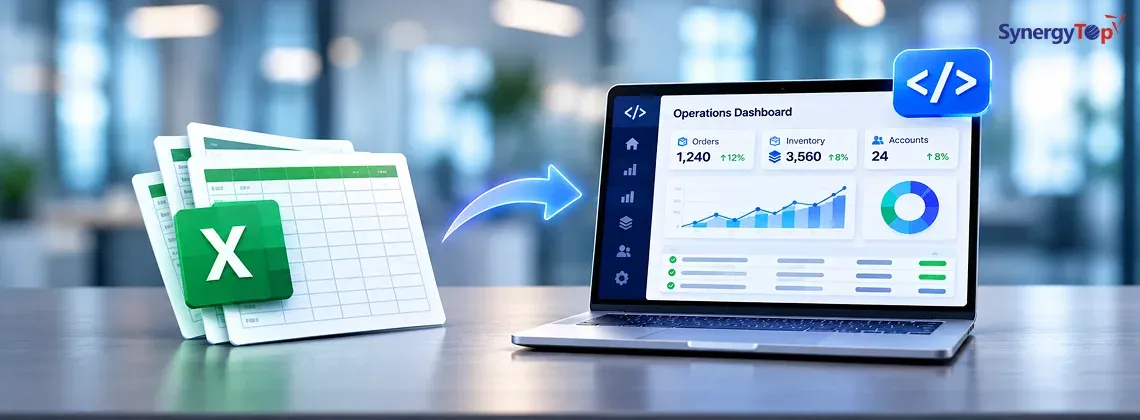


Your business probably did not plan to run critical operations in Excel.
It usually starts with one spreadsheet.
Then sales creates another. Operations adds another. Finance maintains its own version. Managers spend hours checking numbers, combining reports, correcting formulas, and asking:
“Which file is the latest one?”
Excel is still useful for analysis and reporting. The problem begins when spreadsheets become the system your business depends on to run daily operations.
If your team is manually entering the same data, emailing files, fixing formulas, updating reports, or copying information between Excel and your CRM or ERP, the current process may already be costing more than you realize.
The real question is no longer:
“Can Excel still handle this?”
It is:
“Would custom software make this process faster, safer, and cheaper to operate?”
When Should You Replace Excel With Custom Software?
You do not need custom software simply because you use spreadsheets.
The problem starts when Excel becomes responsible for workflows it was never designed to manage.
Common warning signs include:
- multiple copies of the same workbook
- duplicate or inconsistent data
- broken formulas
- manual approvals through email or chat
- employees copying data into CRM or ERP systems
- reports taking hours to prepare
- no clear audit trail
- limited role-based access
- one employee becoming the only person who understands the file
- business operations stopping when a workbook breaks
Microsoft supports real-time Excel co-authoring, but it also documents file-locking and collaboration issues in certain scenarios. Microsoft’s Excel file-locking guidance
Collaboration features help.
They do not turn a spreadsheet into a complete operational system.
If Excel controls customer orders, approvals, inventory, billing, procurement, project delivery, or other critical workflows, it may be time to replace the process, not just the spreadsheet.
What Does Replacing Excel Actually Look Like?
Replacing Excel does not mean removing every spreadsheet from your company.
Excel can remain useful for:
- financial analysis
- forecasting
- exports
- ad hoc reporting
- calculations
The goal is to move repeatable business operations into a controlled application.
Current process
Customer request arrives.
↓
Employee enters details into Excel.
↓
File is shared with another department.
↓
Manager approves through email.
↓
Another employee enters the same data into ERP.
↓
Someone updates the reporting spreadsheet.
Custom software process
Customer request enters one application.
↓
Data is validated automatically.
↓
The correct employee receives the task.
↓
Manager approves inside the platform.
↓
ERP or CRM updates automatically.
↓
Dashboard reflects the latest status.
The process itself may not change dramatically.
What changes is how much manual coordination employees need to do.
Start With the Spreadsheet Creating the Most Pain
Do not try to replace every Excel workbook at once.
Start with the process that creates the largest operational cost.
A strong candidate usually:
- is used every day
- involves multiple employees
- contains critical business data
- requires repeated manual updates
- depends on complex formulas or macros
- sends data to other systems
- creates reporting delays
- frequently causes errors
For example, a simple internal expense sheet may not justify custom development.
But a workbook managing thousands of customer orders across sales, operations, finance, and fulfillment may be a completely different situation.
Ask one question:
What happens if this spreadsheet contains the wrong information tomorrow?
If the answer includes delayed orders, lost revenue, customer complaints, compliance problems, or hours of manual correction, you have a business case worth evaluating.
Why Excel-Based Operations Become Expensive
The biggest cost is usually not the Excel license.
It is employee time.
Imagine 10 employees each spend five hours per week:
- entering data
- checking files
- preparing reports
- correcting errors
- copying information between systems
That is:
10 × 5 × 52 = 2,600 hours every year
At an average loaded employee cost of $40 per hour:
2,600 × $40 = $104,000 per year
And that does not include the cost of:
- mistakes
- delayed approvals
- missed opportunities
- management review
- duplicated work
- customer impact
This is why custom software should not be evaluated only as a development expense.
You should compare the development cost with the annual cost of continuing the existing process.
Custom Software Turns Business Rules Into System Rules
Many spreadsheet-driven businesses depend on instructions such as:
“Do not change column H.”
“Yellow rows require manager approval.”
“Copy this data into the ERP before closing the file.”
These are not really spreadsheet instructions.
They are business rules.
Custom software can turn them into controlled logic.
For example:
Order above $25,000 → Finance approval required
Inventory below minimum → Procurement alert
Invoice overdue → Order cannot be released
Manager approves request → ERP updates automatically
Employees no longer need to remember every rule.
The application enforces them.
What Can Custom Software Replace?
| Excel Process | Custom Software |
| Manual data entry | Validated forms |
| Multiple spreadsheets | Central database |
| Email approvals | Built-in approval workflows |
| Manual status tracking | Real-time status |
| Monthly report preparation | Live dashboards |
| Copying data to CRM/ERP | API integration |
| Spreadsheet reminders | Automated notifications |
| Complex macros | Backend business logic |
| Manual access control | Role-based permissions |
The goal is not to create an online spreadsheet.
It is to remove unnecessary work.
Do You Need Custom Software or an Existing Platform?
Custom development is not always the right answer.
If Excel is being used as a basic CRM, an existing CRM such as Salesforce or HubSpot may already solve the problem.
Custom software becomes more relevant when:
- your workflow is unique
- several systems need to communicate
- existing software requires too many workarounds
- licensing becomes expensive as the company grows
- industry-specific rules are involved
- you need custom approval logic
- existing ERP or CRM systems must stay
- your teams need dashboards built around your own operations
The decision should not be:
“Excel is old, so let’s build software.”
It should be:
“Our current workflow creates enough cost, delay, or risk that purpose-built software will deliver a measurable return.”
SynergyTop helps businesses build custom software solutions around existing workflows rather than forcing operations into a generic system.
You May Not Need to Replace Your ERP or CRM
One common concern is:
“Do we need to rebuild everything?”
Usually, no.
Your custom application can sit between your teams and existing business systems.
A typical architecture may look like:
Web Application
↓
Business Workflow & Approval Logic
↓
Central Database
↓
API / Integration Layer
↓
CRM | ERP | Accounting | Inventory | Other Systems
↓
Dashboards & Reports
For example, SynergyTop has worked on projects involving large-scale data synchronization between MSSQL and MySQL systems while protecting updated customer information. See SynergyTop’s data synchronization project.
This is often more practical than replacing every system your business already uses.
How Should You Move From Excel to Custom Software?
The safest approach is phased.
1. Map the Current Workflow
Document:
- who uses the spreadsheet
- where data comes from
- what calculations happen
- who approves what
- which systems receive the information
- which reports depend on it
2. Remove Unnecessary Steps
Do not automate a bad process.
Some steps may exist only because the spreadsheet required them.
Remove those before development begins.
3. Build the Core Workflow First
Start with the highest-value process.
For example:
Request → Validation → Approval → Processing → Reporting
Do not add every possible feature to version one.
4. Clean and Migrate the Data
Old spreadsheets often contain:
- duplicates
- missing data
- outdated records
- inconsistent formats
Clean data before migrating it.
5. Validate Before Fully Switching
For critical operations, run the old and new systems in parallel temporarily.
Compare results.
Fix gaps.
Then move the workflow fully into the application.
What About AI?
Replacing spreadsheets with structured software also creates a better foundation for AI.
Once your operational data is centralized, users could ask:
“Which customers have unpaid invoices and open support tickets?”
“Which orders are likely to miss their delivery date?”
“Summarize all activity for this customer.”
AI can then work with structured data instead of disconnected spreadsheets.
You do not necessarily need another rebuild later.
SynergyTop explains how businesses can integrate AI into existing software without rebuilding everything.
This creates a logical path:
Replace manual spreadsheet operations → Structure the data → Automate the workflow → Add AI where it produces real value.
Should You Replace Your Excel Process?
Before making the decision, answer five questions:
- Which spreadsheet currently controls your most important process?
- How many people update or depend on it?
- How many hours are spent maintaining it every week?
- Which CRM, ERP, database, or other systems does it interact with?
- What is the business impact when the data is wrong?
You do not need a technical specification to start.
You need a clear picture of the current workflow.
Get a Cost Estimate for Replacing Your Excel Workflow
If Excel is becoming a bottleneck, do not start by requesting a large software platform with dozens of features.
Start with the process.
Share:
The spreadsheet you use
What employees currently do manually
Which systems it connects to
Where errors or delays happen
What you want the new process to achieve
SynergyTop can evaluate the workflow and recommend what should be:
kept → removed → automated → integrated → rebuilt
From there, you can get a realistic estimate for the architecture, development effort, migration approach, integrations, and timeline.
Get Your Excel-to-Custom-Software Estimate
Still running an important business process through Excel?
Share your current workflow with SynergyTop and get a project-specific recommendation and quotation for replacing it with scalable custom software.