contact@synergytop.com
 +1 619-349-4911




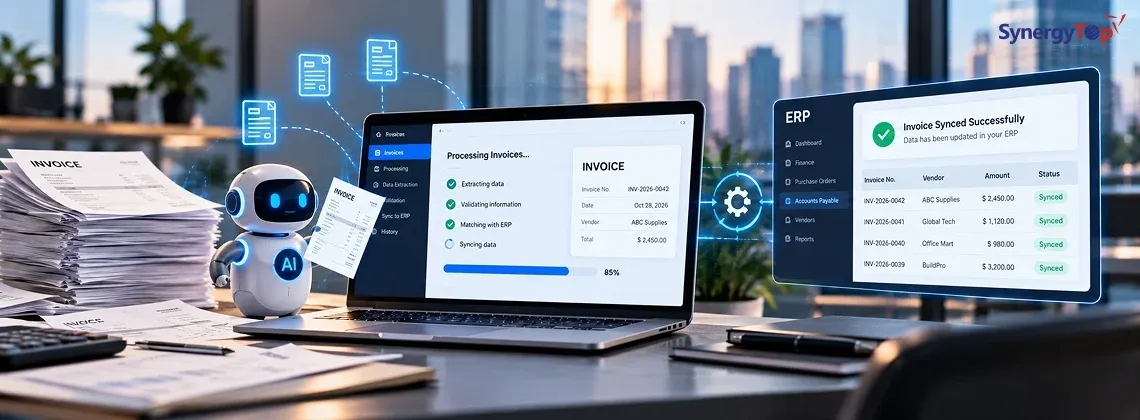


Your company already has an ERP. But does your accounts payable team still open invoice PDFs, copy vendor details, enter amounts, check purchase orders, chase approvals, and update records manually?
If so, the problem may not be your ERP. The problem may be the manual work happening before data reaches it.
AI invoice processing can automate much of this workflow. It can extract information from invoices, validate fields, compare data with purchase orders or vendor records, flag exceptions, route invoices for approval, and send approved data into your existing ERP.
The important part is that you don’t necessarily need to replace the ERP you already use.
A well-designed AI and automation layer can work around your existing system while the ERP remains the system of record.
However, successful automation requires more than simply adding OCR to invoice PDFs. The real question is:
Which parts of your invoice workflow can be automated, how will AI connect with your ERP, and will the investment produce enough operational value to justify the cost?
Let’s break that down.
Where Is Your Invoice Process Still Manual?
Consider a common accounts payable workflow:
Invoice Received → PDF Opened → Data Entered → Vendor/PO Checked → Approval Requested → ERP Updated → Payment Processed
Your ERP may handle accounting perfectly once the information reaches it. But getting accurate information into the system can still require significant manual effort.
Employees may need to enter:
- Vendor name
- Invoice number
- Invoice date
- Purchase order number
- Line items
- Quantity
- Tax
- Total amount
- Cost center
- GL code
- Payment terms
Then someone may need to verify the information against a purchase order, goods receipt, contract, or vendor record.
Microsoft’s documentation for vendor invoice automation in Dynamics 365 demonstrates the same underlying automation opportunity: invoice data can be captured in machine-readable form and consumed by an invoicing system instead of relying entirely on manual processing.
For businesses receiving hundreds or thousands of invoices each month, even a few minutes of manual work per invoice can become a significant operational cost.
What Parts of Invoice Processing Can AI Automate?
AI shouldn’t automatically control every part of accounts payable.
A better approach is to identify repetitive, rules-based work that software can handle reliably and separate it from exceptions that still require human judgment.
| Invoice Process | Automation Potential |
| Read PDF/image invoices | High |
| Extract invoice fields | High |
| Identify vendors | High |
| Extract line items | High |
| Check for possible duplicates | High |
| Compare invoice with PO data | High with ERP integration |
| Route invoice for approval | High with defined rules |
| Resolve unusual mismatches | Human review may be needed |
| Authorize sensitive payments | Human/business controls recommended |
For example, Microsoft’s Invoice Capture documentation describes a workflow where recognized invoice information can be mapped to fields, validated using rules, and transferred into Dynamics 365 Finance, while invoices containing errors or warnings require manual intervention.
That’s an important principle for custom AI invoice automation as well:
Automate predictable work. Escalate exceptions.
How Does AI Invoice Processing Work With an Existing ERP?
A typical architecture might look like this:
Email / PDF / Upload
↓
Invoice Capture
↓
AI Document Extraction
↓
Validation & Business Rules
↓
ERP / PO / Vendor Matching
↓
Exception Review
↓
Approval Workflow
↓
ERP Sync
↓
Ready for Payment
The ERP doesn’t disappear.
Instead, an AI and integration layer handles the repetitive processing around it.
For example, an invoice arriving by email could be automatically captured. AI extracts the vendor, invoice number, date, amount, taxes, and line items.
The integration layer then checks your ERP.
Does this vendor exist?
Is the PO valid?
Does the amount match?
Has this invoice number already been processed?
If everything satisfies your business rules, the invoice can move to the next stage.
If something is wrong, the system can flag it for AP review instead of trying to make an uncertain decision automatically.
This type of implementation combines AI with integration engineering, workflow automation, and business rules. SynergyTop’s AI development services include AI integration with existing systems, while its custom software development services can support the application and integration layer around those AI capabilities.
What Would a Real AI Invoice Workflow Look Like?
Consider a manufacturing business processing 1,500 supplier invoices every month.
Its existing workflow might look like:
Supplier emails invoice
→ AP employee downloads PDF
→ Employee enters invoice details
→ PO is manually checked
→ Mismatch is investigated
→ Manager approval is requested
→ Approved information is entered into ERP
Now consider an automated workflow:
Supplier emails invoice
→ System captures attachment
→ AI extracts invoice information
→ Vendor is checked against ERP
→ PO and invoice data are compared
→ Duplicate checks are performed
→ Matching invoice follows approval workflow
→ Exception goes to AP employee
→ Approved data syncs with ERP
The goal isn’t necessarily 100% touchless processing.
Suppose 1,500 invoices arrive, but 300 have missing POs, unusual line items, unclear scans, price discrepancies, or other exceptions.
The automation system could process predictable invoices while directing the exceptions to the appropriate employee.
That means the finance team spends less time typing and more time resolving issues that actually require judgment.
Can AI Work With Your Existing ERP?
This is where a technical assessment becomes important.
Modern ERP With APIs
If your ERP provides well-documented APIs, the AI integration layer may be able to read vendor, PO, invoice, and other authorized data and write approved information back through supported interfaces.
ERP With Database or Middleware Access
Some systems may require controlled database integration, middleware, existing integration platforms, or other enterprise interfaces.
ERP With Limited Integration Capabilities
Older systems may depend on scheduled file imports, SFTP, CSV/XML exchanges, or custom connectors.
Highly Restricted Legacy ERP
In some cases, targeted modernization may be required before reliable AI automation is practical.
The question therefore isn’t simply:
“Can AI read our invoices?”
It is:
“Can the extracted and validated information move safely between AI, our business workflow, and our ERP?”
Businesses dealing with this type of integration problem can also explore SynergyTop’s custom software development capabilities, particularly when the solution must connect with existing business systems rather than replace them.
What About Security and Human Approval?
Invoices contain sensitive business information, and ERP systems may contain vendor records, financial information, purchase orders, and payment-related data.
AI invoice automation therefore needs appropriate controls.
Depending on the workflow, these may include:
- User authentication
- Role-based access
- ERP API permissions
- Encryption
- Audit logs
- Approval thresholds
- Exception handling
- Human authorization for sensitive actions
For example, AI may recommend that an invoice matches a PO without being allowed to authorize the final payment.
Similarly, a system may automatically process invoices below a defined threshold while requiring human approval for higher-value transactions.
The NIST AI Risk Management Framework emphasizes incorporating trustworthiness and risk considerations throughout the design, development, use, and evaluation of AI systems.
For invoice automation, that means deciding not only what AI can do, but what it should be allowed to do.
How Much Does AI Invoice Automation Cost?
There isn’t one fixed price because invoice automation can range from document extraction to a deeply integrated accounts payable workflow.
Preliminary planning ranges might look like this:
| Project Scope | Illustrative Planning Range |
| Invoice extraction prototype | 5K–12K |
| AI extraction + validation | 10K–20K |
| AI + approval workflow + ERP integration | 20K–40K |
| Advanced AP automation with matching and exceptions | 30K–60K+ |
These are illustrative planning ranges, not fixed quotations.
Your actual implementation cost may depend on:
Invoice volume + document formats + fields + ERP architecture + available APIs + PO matching + approval rules + exception logic + security requirements
A company receiving standardized invoices through one channel and using a modern ERP API will have a different project from a company processing invoices from hundreds of vendors across PDFs, scans, email, and multiple legacy systems.
Could Invoice Automation Produce a Positive ROI?
Cost alone doesn’t tell you whether the project makes financial sense.
Consider the 1,500-invoice example again.
Suppose employees currently spend an average of 8 minutes manually processing each invoice.
That’s:
1,500 × 8 minutes = 12,000 minutes
or:
200 hours per month
Now assume automation reduces manual processing effort by an illustrative 60%.
That represents:
120 hours/month of potentially recovered employee capacity
At an illustrative loaded labor cost of $30 per hour:
120 × $30 = $3,600/month
or approximately:
$43,200/year in employee capacity.
That does not mean the business is guaranteed to save $43,200.
Actual results depend on invoice complexity, automation accuracy, exception rates, employee costs, adoption, ERP integration, and how recovered capacity is used.
There may also be value beyond labor reduction:
- Fewer manual-entry errors
- Faster invoice approvals
- Earlier visibility into liabilities
- Better audit trails
- Reduced duplicate-payment risk
- Faster reconciliation
- Ability to handle higher invoice volume without proportional AP headcount growth
The better question is therefore not:
“How expensive is invoice automation?”
It is:
“What is our current invoice process costing us, and what portion of that work could realistically be automated?”
Should You Buy AP Automation Software or Build a Custom Integration?
Not every company needs custom development.
An off-the-shelf AP automation platform may be appropriate when your invoice process is standardized, your ERP is already supported, and your workflow closely matches the product’s built-in capabilities.
Custom AI integration becomes more relevant when you have:
- A custom or legacy ERP
- Unique approval workflows
- Multiple business systems
- Complex PO or invoice matching
- Industry-specific validation rules
- Unusual invoice formats
- Existing internal portals
- Specific security requirements
- A need to integrate automation directly into existing software
This is fundamentally a fit decision, not a “custom is always better” decision.
If an existing platform solves 95% of your requirements economically, buying may be the better choice.
If your business needs substantial workarounds to fit a generic product, a custom software solution may offer greater control over the workflow and integrations.
What Should You Automate First?
Don’t begin by trying to automate the entire AP department.
Start with the highest-volume repetitive steps.
A practical sequence could be:
Invoice Capture → Data Extraction → Validation → ERP Sync
Once that works reliably, evaluate:
PO Matching → Approval Routing → Exception Management → Analytics → More Advanced Automation
This gives your organization an opportunity to measure extraction accuracy, exception rates, user adoption, processing time, and actual ROI before expanding the system.
The best first AI project is usually not the most technically impressive one.
It’s the one that solves a measurable operational problem with controlled implementation risk.
Can Your Existing ERP Support AI Invoice Automation?
By this point, the most important question is specific to your environment.
You may already know that AI can extract invoice information.
What you don’t yet know is:
Can it work reliably with your ERP, invoice formats, approval rules, vendor data, and existing finance workflow?
That’s where a feasibility assessment becomes more useful than another generic AI demo.
Get an AI Invoice Automation Feasibility Review
Share:
- Your existing ERP
- Approximate monthly invoice volume
- How invoices currently arrive
- Your existing approval process
- What your team manually enters today
- Other systems involved in the workflow
SynergyTop’s AI development and integration team can help assess:
✓ What parts of the invoice workflow can potentially be automated
✓ How AI could integrate with your existing ERP
✓ Where human review or approval should remain
✓ Major technical and integration dependencies
✓ A suitable high-level architecture
✓ A preliminary implementation cost range
Check My ERP for AI Invoice Automation
Frequently Asked Questions
1. Can AI automatically enter invoices into an ERP?
Yes, when the ERP provides a suitable integration method. AI can extract invoice information, while APIs, middleware, or other integration mechanisms transfer validated information into the ERP.
2. Can AI match invoices with purchase orders?
Yes. An integrated system can compare extracted invoice information with PO and vendor data. Exceptions such as price, quantity, or vendor mismatches can be routed for human review.
3. Do we need to replace our ERP?
Not necessarily. If your existing ERP is reliable and exposes the data or interfaces required for integration, an AI automation layer may be added around it.
4. How long does AI invoice automation take to implement?
A focused extraction project may take a few weeks. A broader implementation involving ERP integration, matching rules, approvals, exception handling, and security may require several weeks or months depending on complexity.