contact@synergytop.com
 +1 619-349-4911




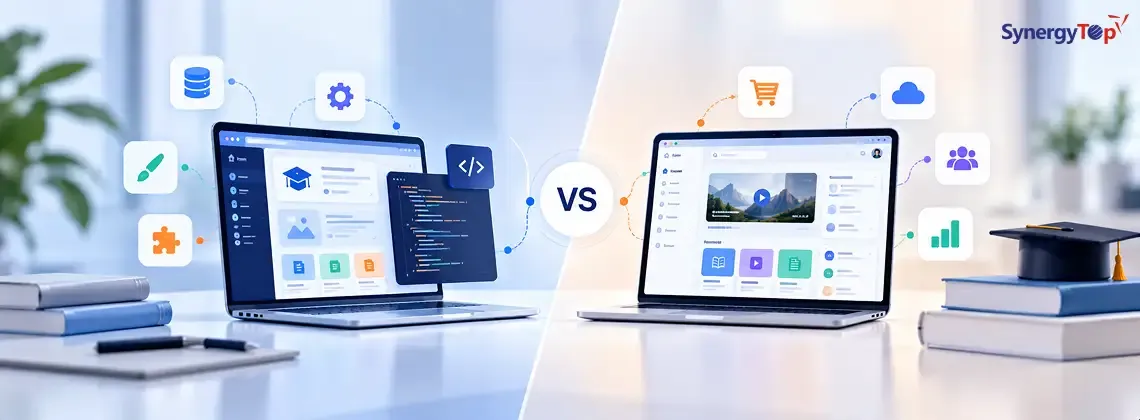


Should your institution buy an existing learning management system or build its own? The answer depends on how well an available platform supports the way your students learn, your educators teach, and your administrators work.
An off-the-shelf LMS is usually the better starting point when standard course, assessment, and reporting features meet your needs. A custom LMS makes sense when your learning model depends on workflows that existing platforms cannot support well. For many institutions, a third option is worth exploring: keep an existing LMS and build a custom learner experience around it.
What is the difference between a custom and an off-the-shelf LMS?
An off-the-shelf LMS is an existing platform that an institution subscribes to, licenses, or hosts. It typically offers course management, enrollment, assignments, assessments, and progress tracking.
A custom LMS is designed and developed around an institution’s specific workflows. It gives the organization more control over features and user experience, but also requires an ongoing plan for maintenance, security, and improvements.
“Off-the-shelf” does not always mean “impossible to customize.” Moodle, for example, is an open-source LMS. Its developer documentation describes a plugin architecture for extending functionality without modifying the platform’s core code.
| Decision factor | Off-the-shelf LMS | Custom LMS |
| Initial rollout | Often faster if standard features fit | Requires discovery, design, development, and testing |
| Learning workflows | Configurable within the platform’s capabilities | Designed around your requirements |
| User experience | Branding and interface options may have limits | Greater control over web and mobile journeys |
| Integrations | Depend on available APIs and vendor support | Planned around required systems, subject to their access |
| Upfront cost | Often lower, depending on setup and licensing | Typically requires more initial investment |
| Ongoing work | Administration, fees, extensions, and vendor updates | Hosting, support, security, and product development |
These are general trade-offs. The right comparison uses actual vendor proposals and your documented requirements.
When should you choose an existing LMS?
Start by evaluating an existing platform if your institution primarily needs to:
- Organize and deliver courses
- Enroll learners and assign roles
- Run assessments and record grades
- Track course completion
- Give teachers and administrators standard reports
The most useful evaluation is a hands-on test. Ask a teacher to create a course, a student to submit work on a phone, and an administrator to produce a required report. You will learn more from those tasks than from a feature checklist alone.
If you are still defining the scope of your education product, SynergyTop’s guide to educational app types, features, and development considerations can help you separate essential features from later additions.
When does a custom LMS make sense?
Consider a custom build when the learning platform itself is central to your offering. Your requirements may include an unusual assessment model, multiple mentor roles, complex learning paths, or a distinct mobile experience that available platforms cannot deliver without repeated workarounds.
Make those needs specific before requesting estimates. For example:
“Learners must move between self-paced lessons, live sessions, mentor feedback, and practical assessments while seeing one consistent progress record.”
That requirement can be designed and tested. “We need a modern LMS” cannot.
A custom build also needs dependable everyday functions such as enrollment, permissions, content administration, reporting, and support. These belong in the budget alongside the features that differentiate your product. Learn more about SynergyTop’s approach to custom software development.
Could you keep your LMS and build around it?
A hybrid approach can be appropriate when the current LMS handles courses and records adequately, but the experience around it needs improvement. An institution might build a custom student app, a specialized assessment workflow, or an administrative dashboard while retaining its existing LMS.
Before choosing this route, verify what the LMS can actually share with other systems. 1EdTech’s Learning Tools Interoperability (LTI) specification provides a standard way to integrate external learning tools and content with learning platforms. Support for a standard is useful, but you still need to confirm that the products involved support your particular workflow and data requirements.
The hybrid option is especially worth examining when replacing your entire LMS would disrupt teachers and administrators, while improving a smaller number of student-facing tasks would solve the main problem.
Compare the full cost, not just the starting price
An LMS subscription quote and a custom development estimate may cover very different things. Compare both choices over the same period, such as three years.
For an existing LMS, account for licenses or hosting, setup, extensions, integrations, content migration, training, and support. For a custom LMS, account for product discovery, design, development, infrastructure, testing, security work, maintenance, and future releases.
Then ask:
- Which essential workflows are supported without modification?
- What will missing features or integrations cost to add?
- Who maintains those integrations when connected systems change?
- How will courses, user records, and other data be exported if you change platforms?
- What will it take to support more learners or institutions?
The answers will give you a better basis for comparison than a generic price per learner or a single development quote.
Make accessibility and student data part of the selection
Students should be able to navigate courses, use learning materials, and complete assessments across devices and abilities. Ask vendors or development teams to demonstrate these tasks. The W3C Web Content Accessibility Guidelines (WCAG) 2.2 provide a reference for evaluating accessible web content.
Also map what student information the platform collects, who can access it, where it is stored, and how it will be deleted or transferred. For U.S. institutions, the Department of Education publishes FERPA resources for education technology vendors. Review requirements for your specific institution and vendor arrangement with the appropriate privacy or legal team.
These checks matter whether the platform is purchased, customized, or built from scratch.
A decision checklist for your institution
Before selecting a path, answer these questions with your teachers, learners, administrators, and technology team:
- Which current learning tasks cause the most friction?
- Can an existing LMS handle the essential tasks in a realistic demonstration?
- Which workflows make your learning model distinctive?
- What must connect to your student information system, identity provider, video tools, or other software?
- Which tasks must work particularly well on mobile?
- Who will administer and improve the platform after launch?
- What is the estimated three-year cost of each option?
- How will you access and move your data if your needs change?
Choose an existing LMS if it supports your essential workflows with reasonable configuration. Consider a hybrid approach if the LMS works as a foundation but a few important experiences need custom development. Consider a custom LMS if your core learning model cannot be delivered effectively on an existing platform and you can support the product over time.
SynergyTop provides technology solutions for the education industry. If you are weighing these options, share your current platform, the workflows it cannot support, and the systems it needs to connect. You can then discuss the requirements with the SynergyTop team and plan a practical first phase.