contact@synergytop.com
 +1 619-349-4911




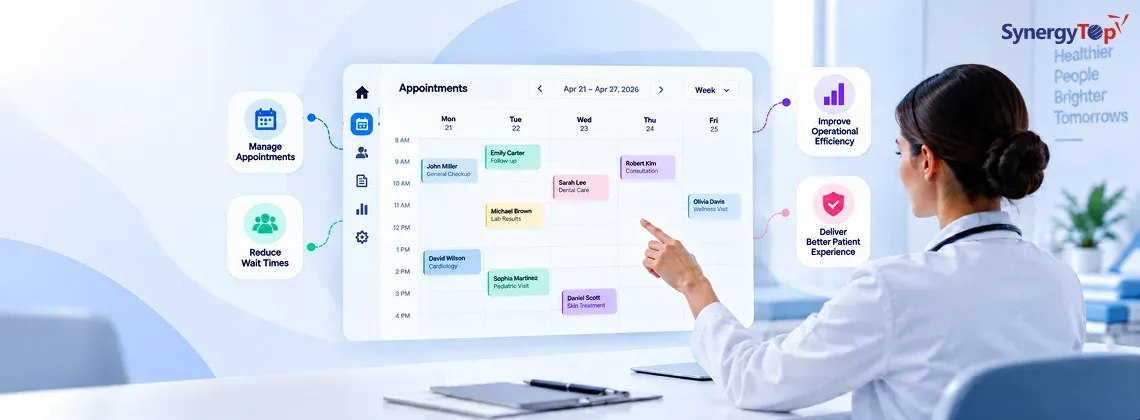


A healthcare appointment is rarely just a 30-minute slot on a calendar.
It can involve a physician, nurse, room, medical equipment, insurance verification, patient intake, reminders, billing, and sometimes another appointment that needs to happen before or after it.
That is why patient scheduling becomes difficult as a healthcare organization grows.
A small practice can manage appointments with a shared calendar and a few phone calls. Add more providers, locations, specialties, or patients, and the same approach starts creating gaps, double bookings, long wait times, and unnecessary administrative work.
Modern patient scheduling software addresses that problem by treating scheduling as an operational workflow rather than a calendar function.
The difference matters. A scheduling system should know which provider is available, which location has capacity, what type of appointment is being requested, how long it should take, and what needs to happen before the patient arrives.
It should also keep the patient informed.
In practice, the best systems do something else: they make the schedule useful to everyone around it. Read on.
The Growing Challenges in Patient Appointment Scheduling
Healthcare scheduling has an uncomfortable characteristic: small mistakes can have a large operational cost.
- A double booking can disrupt an entire afternoon.
- A missed appointment leaves clinical capacity unused.
- A poorly scheduled procedure can create room and staff conflicts.
- A patient who cannot find a convenient appointment may simply look elsewhere.
No-shows are particularly damaging because they affect both revenue and access to care. The American Medical Association has highlighted no-shows as a persistent operational challenge for medical practices, with the financial impact varying significantly by specialty and appointment type.
Manual scheduling creates another problem: staff end up acting as the integration layer between disconnected systems. A receptionist may have to check the physician calendar, room availability, appointment type, patient history, and sometimes another scheduling application before confirming one appointment.
As patient volume grows, that approach becomes difficult to maintain.
Traditional medical office scheduling software may solve the basic calendar problem, but modern healthcare operations require much more: self-service booking, automated reminders, real-time availability, digital check-in, integration, reporting, and support for multiple providers and locations.
The calendar is still there. It is simply no longer the whole system.
Why Healthcare Providers Are Switching to Modern Scheduling Software
The move toward modern scheduling is not really about replacing the receptionist with software. It is about removing repetitive work from the receptionist’s day. Patients increasingly expect digital access to healthcare services. They want to find an available appointment, choose a convenient time, receive confirmation, and make changes without having to repeatedly call a clinic.
Providers want something different from the same system: visibility. They need to know where capacity exists, which providers are available, which appointments are at risk of becoming gaps, and whether staff and resources can support the schedule.
This is why automation, real-time availability, online appointment scheduling, and integration have become central to healthcare scheduling.
Security matters just as much. A HIPAA compliant scheduling software solution must incorporate appropriate safeguards for protected health information. HHS states that appointment reminders are permitted under the HIPAA Privacy Rule because they are part of treatment, while covered entities still need to apply reasonable safeguards when communicating with patients. The result is a broader shift: healthcare organizations are moving from appointment calendars toward connected scheduling workflows.
That distinction becomes even more important when we look at how these systems actually work.
What Is Patient Scheduling Software and How It Works
Patient scheduling software is a healthcare application that manages appointments across patients, providers, locations, resources, and connected administrative systems. At its simplest, it lets staff create and modify appointments. An advanced healthcare scheduling software system does considerably more. It can determine which appointments can be booked, identify appropriate time slots, synchronize calendars, send reminders, process cancellations, coordinate check-in, and pass appointment data to other systems.
A typical workflow might look like this:
- Step 1: Patient selects appointment type
- Step 2: System checks provider and resource availability
- Step 3: Appropriate slots are displayed
- Step 4: Patient books
- Step 5: Appointment is synchronized
- Step 6: Reminders are sent
- Step 7: Patient confirms or reschedules
- Step 8: Check-in information is collected
- Step 9: Appointment status flows into connected systems
The complexity sits behind the interface.
For example, a new patient consultation may require 60 minutes, while a follow-up requires 20. A procedure may require a specific room and nurse. A physician may only work at one location on certain days.
The scheduling engine needs to understand those rules.
Basic scheduling tools vs. advanced healthcare scheduling systems
| Capability | Basic Scheduling Tool | Advanced Healthcare Scheduling System |
| Appointment booking | Manual booking | Manual + online self-scheduling |
| Provider calendars | Basic calendar | Real-time multi-provider synchronization |
| Reminders | Basic email | SMS, email, app, and automated workflows |
| Multiple locations | Limited | Centralized multi-location management |
| EMR/EHR integration | Often limited | API-based integration and data synchronization |
| Patient check-in | Usually separate | Integrated digital check-in |
| Resource management | Limited | Rooms, equipment, and staff coordination |
| Rescheduling | Manual | Automated patient self-service |
| Analytics | Basic reports | Utilization, no-shows, capacity, and operational insights |
| AI capabilities | Rare | Predictive scheduling and workflow optimization |
Integration is particularly important.
Standards such as HL7 FHIR support the exchange of healthcare information through standardized resources and APIs. The Office of the National Coordinator for Health IT describes FHIR as an important interoperability approach for exchanging health data. (healthit.gov)
A scheduling platform should therefore fit into the existing healthcare technology stack rather than create another isolated database.
That brings us to the features that actually make a scheduling platform useful.
Key Features That Define the Best Patient Scheduling Software
There is no single feature that makes scheduling software effective. The value comes from how the individual capabilities work together.
A patient booking an appointment should trigger the right actions for the provider, front desk, billing team, and patient without requiring someone to manually move information from one system to another.
The strongest platforms typically include the following capabilities.
Automated Appointment Scheduling
Patient self scheduling software allows patients to book eligible appointments without calling the practice. The system can expose only the slots that meet predefined rules.
For example, a 30-minute follow-up should not be booked into a 15-minute slot simply because the calendar shows it as available.
Real-time calendar synchronization is equally important. When a patient books a slot online, that availability should immediately change across relevant scheduling channels. Modern doctor appointment scheduling software can also support cancellation, rescheduling, waitlists, appointment-type rules, provider preferences, and booking restrictions.
Smart Reminders and Notifications
A reminder should do more than tell someone that an appointment exists. Modern systems can send SMS, email, portal, or mobile notifications based on appointment type and timing.
Patients can confirm, cancel, or reschedule directly from the communication. That creates a useful chain of events: cancellation opens the slot, the system can notify eligible patients, and staff can see the change without manually updating several calendars.
HHS specifically permits appointment reminders under HIPAA, provided appropriate safeguards are used.
Multi-Provider and Multi-Location Management
Scheduling becomes much harder when physicians share rooms, equipment, nurses, or locations. Hospital scheduling software needs to account for these dependencies.
A specialist may work across two clinics. A procedure may require a physician, nurse, room, and equipment at the same time. A particular appointment type may only be available at one location. A centralized scheduling engine can apply these rules consistently.
For organizations operating multiple clinics, this also provides a unified view of capacity without forcing every location into an identical workflow.
Patient Check-In and Workflow Optimization
Scheduling does not end when the appointment is booked. Digital check-in can collect demographic information, insurance details, consent forms, and other required information before the patient reaches the front desk.
That reduces repetitive data entry and gives staff more time to handle exceptions. A patient check-in software integration can also connect appointment status with the broader patient journey: checked in, waiting, with provider, completed, or requiring follow-up.
This makes the schedule a live operational view rather than a static list of appointments.
Billing and System Integration
Scheduling data often feeds several other healthcare workflows. A modern platform may integrate with:
- EMR/EHR systems
- Patient management platforms
- Billing and payment systems
- Patient portals
- Telehealth platforms
- CRM systems
- Workforce management software
- Reporting and analytics platforms
The goal is straightforward: information should move with the patient journey instead of being repeatedly re-entered by staff.
When scheduling becomes connected, its operational value increases considerably.
How Patient Scheduling Software Improves Healthcare Efficiency
The value of scheduling software becomes clearer when you look at what happens between appointments. A good system does not simply create bookings. It helps healthcare organizations use their existing people, rooms, equipment, and time more effectively.
It can help:
- Fill cancelled appointment slots faster
- Reduce repetitive calls and administrative work
- Give staff real-time visibility into provider availability
- Reduce scheduling conflicts and double bookings
- Make online booking available outside office hours
- Improve coordination between providers and support staff
- Give managers better utilization data
The patient benefits as well. A simpler booking process means fewer phone calls, faster confirmation, easier rescheduling, and less uncertainty about what happens next.
The bigger point is that scheduling affects almost every part of healthcare operations. Once that is understood, scheduling software stops looking like a front-desk tool and starts looking like an operational system.
Use Cases Across Healthcare Segments
Scheduling requirements change considerably depending on the type and size of healthcare organization. A private practice may prioritize simplicity and patient self-booking. A hospital may need complex resource allocation. A home healthcare provider has to account for travel and caregiver availability.
The software should reflect those differences rather than forcing every organization into the same scheduling model.
Clinics and Private Practices
Small practices generally need simplicity before complexity. The best patient scheduling software for small clinics should provide online booking, provider calendars, reminders, digital intake, and basic reporting without requiring a dedicated IT team.
The system should also be easy for staff to operate. A technically impressive platform that employees avoid using is not a good scheduling system.
Hospitals and Multi-Specialty Centers
Hospitals have a much harder scheduling problem. They may need to coordinate hundreds of providers, departments, rooms, procedures, equipment, and appointment types.
Advanced medical scheduling systems can apply scheduling rules across these dependencies while giving administrators visibility into capacity and utilization. At this scale, integration is just as important as the booking interface.
Home Healthcare and Aged Care
Home healthcare introduces another variable: the caregiver has to travel to the patient. Home health care scheduling software therefore needs to account for caregiver availability, qualifications, patient requirements, visit duration, location, and sometimes travel time.
Aged care organizations also need rostering capabilities to maintain appropriate staffing across shifts and visits. The scheduling problem is no longer simply “Who is free?”
It becomes “Who is qualified, available, appropriately located, and able to complete this visit within the required window?”
Staffing and Nurse Scheduling
Nurse scheduling is a resource allocation problem with patient-care implications. Nurse staffing software and nurse scheduling programs can help organizations manage shifts, availability, qualifications, staffing requirements, and schedule changes.
The same principle applies across healthcare: automate predictable decisions while keeping managers in control of exceptions.
Choosing the Best Patient Scheduling Software for Your Needs
There is no universally best scheduling platform. There is a platform that fits your workflow, and there is a platform that forces your workflow to fit the software.
That distinction should guide the evaluation.
Start by mapping how appointments actually move through the organization.
Who creates them? Who modifies them? What systems receive the appointment data? What happens when a patient cancels? Which resources must be available? What information needs to be collected before the visit?
Then evaluate the software against those requirements.
| Evaluation Area | What to Look For |
| Scalability | Support for additional providers, locations, appointment volume, and users |
| Integration | EMR/EHR, billing, telehealth, CRM, patient portal, and API support |
| Usability | Simple workflows for both patients and administrative staff |
| Customization | Appointment rules, provider preferences, scheduling restrictions, and workflows |
| Security | Encryption, authentication, authorization, audit logs, and secure data handling |
| Automation | Reminders, confirmations, rescheduling, waitlists, and follow-ups |
| Reporting | No-shows, utilization, cancellations, capacity, and provider performance |
| Compliance | Appropriate HIPAA safeguards and vendor agreements where applicable |
Do not evaluate a healthcare scheduling platform solely from the patient booking screen.
The backend workflow matters more.
A system may look excellent to patients while creating additional work for staff because it does not integrate with the EMR, billing platform, or provider calendars.
Security also deserves a detailed review.
Simply claiming that a product is “HIPAA compliant” is not enough. Healthcare organizations should understand how PHI is stored, transmitted, accessed, logged, backed up, and protected.
Third-party services connected to the scheduling experience deserve the same scrutiny. HHS has issued guidance on the use of online tracking technologies because these tools can involve protected health information in certain circumstances.
The right evaluation therefore starts with the complete workflow, not the feature list.
The Business Impact of Patient Scheduling Software
The business case for scheduling software is straightforward.
Clinical capacity has value.
If a provider has 20 appointment opportunities in a day and several disappear because of no-shows, late cancellations, or inefficient scheduling, that unused capacity affects revenue and patient access.
Recovering even part of that capacity can have a meaningful effect.
But revenue is only one part of the equation.
Better scheduling can reduce administrative workload, improve patient retention, increase visibility into provider utilization, and make resource planning easier.
The strongest systems give managers answers to questions such as:
- Which providers have unused capacity?
- Which appointment types create the most scheduling gaps?
- When do cancellations happen most often?
- Which locations are consistently overbooked?
- How far in advance are patients booking?
- Which time slots have the highest demand?
Those answers can influence staffing, clinic hours, provider allocation, and expansion decisions.
Scheduling data becomes operational intelligence when the organization can actually use it.
Future of Healthcare Scheduling Systems
AI will change healthcare scheduling, but the useful application is not simply putting a chatbot on top of an old calendar.
The real opportunity is better decision-making.
A scheduling system with access to historical and real-time operational data can potentially identify patterns in cancellations, forecast demand, recommend appointment slots, balance provider workloads, and improve patient flow.
Research into AI medical scheduling is increasingly focused on predictive analytics, resource allocation, no-show prediction, and automated scheduling decisions.
That creates a more interesting future than automated booking alone.
Imagine a system that knows a patient’s appointment requires imaging first, followed by a specialist consultation. It knows which physician is available, which imaging equipment is free, how long each step takes, and what times the patient prefers.
Instead of finding one empty slot, the system finds the best sequence.
That is intelligent scheduling.
Telehealth will also become increasingly connected to the same workflow. An appointment should be able to determine whether the patient needs a clinic room or a virtual visit, generate the appropriate instructions, and connect the provider’s availability with the telehealth platform.
HHS guidance also emphasizes the need for appropriate privacy and security safeguards when covered entities use telehealth technologies. The scheduling system will increasingly become the layer coordinating both physical and virtual care.
Why Investing in the Right Scheduling System Matters
Healthcare organizations do not need another piece of software simply because software is available.
They need fewer disconnected workflows.
The right scheduling platform can become the operational layer connecting patients, providers, staff, locations, resources, and clinical systems.
That has a compounding effect.
When scheduling is accurate, staff spend less time correcting calendars. When patients can book easily, friction decreases. When data flows into the EMR and other systems, duplicate work falls. When administrators can see utilization, decisions become easier.
That is why patient scheduling software should be treated as a core healthcare operations system rather than simply an online booking tool.
The technology matters, but the workflow it creates matters more.
Simplify Your Appointment Scheduling Process Today
Healthcare scheduling does not need to be complicated to be powerful.
The right system should make appointments easier to book, easier to manage, and harder to miss. It should automate repetitive work while giving staff control over the exceptions that require human judgment.
Whether you are a small clinic looking for patient self-scheduling or a multi-location healthcare organization building a connected scheduling platform, the architecture should start with your actual workflow.
At SynergyTop, we build custom healthcare software around those workflows, including scheduling, patient portals, EMR integrations, telehealth, automation, and secure administrative systems.
If your current scheduling process involves too many spreadsheets, phone calls, disconnected calendars, or manual follow-ups, it is probably time to redesign the workflow rather than add another calendar. Schedule a no-cost consultation with our experts to map your custom solution roadmap.
Frequently Asked Questions
How much does patient scheduling software cost?
A basic scheduling solution can cost significantly less than a fully customized healthcare platform. Custom development commonly ranges from $20,000 to $100,000+, depending on integrations, providers, locations, automation, security requirements, and patient-facing features. A detailed estimate should follow workflow and integration discovery rather than a generic feature checklist.
How long does it take to develop patient scheduling software?
A focused scheduling MVP can typically take 3–5 months to design, develop, integrate, test, and deploy. A larger healthcare scheduling platform with EMR integration, multi-location management, patient portals, billing, telehealth, and advanced automation can take 6–12 months or longer, depending on complexity.
Can patient scheduling software integrate with an EMR or EHR?
Yes. Modern scheduling systems can integrate with EMR/EHR platforms through APIs and healthcare interoperability standards such as HL7 FHIR. The integration can synchronize appointments, providers, patient information, and related administrative data. The exact approach depends on the EMR vendor, available APIs, data requirements, and security architecture.
Can AI improve healthcare appointment scheduling?
Yes, particularly when AI is applied to real operational data. It can help predict no-shows, identify appointment congestion, recommend suitable time slots, balance provider capacity, and optimize patient flow. The value comes from better decisions and workflow automation, not from simply adding an AI chatbot to an existing booking system.