contact@synergytop.com
 +1 619-349-4911




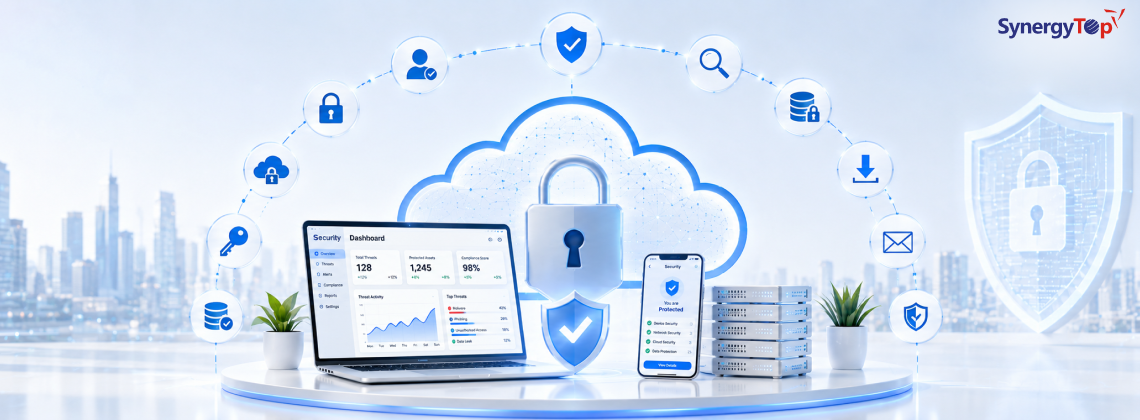


Cloud adoption keeps climbing every year and so do cloud-related breaches. Misconfigured storage buckets, weak identity controls, and unpatched workloads are still the leading causes of cloud data exposure, even at companies that consider themselves “cloud-mature.”
If you’re responsible for protecting data, applications, or infrastructure in AWS, Azure, Google Cloud, or a multi-cloud environment, this guide gives you practical, actionable cloud security tips you can start using today not just theory.
Below, you’ll find 20 cloud security best practices organized around identity, data, infrastructure, monitoring, and compliance, along with the most effective cloud security solutions to implement them.
This guide is brought to you by SynergyTop, a custom software development company that builds secure, scalable cloud applications for healthcare, education, energy, and eCommerce businesses.
What Is Cloud Security?
Cloud security is the combination of technologies, policies, controls, and processes used to protect cloud-based systems, data, and infrastructure from unauthorized access, data breaches, and other cyber threats. Unlike traditional on-premises security, cloud information security is shared between the cloud provider and the customer which is exactly why misunderstanding that split is the #1 cause of cloud breaches.
Why Cloud Security Matters More Than Ever
- Over two-thirds of organizations report accelerating cloud migration year over year, expanding the attack surface faster than security teams can keep up.
- Misconfigurations, not sophisticated hacking, cause the majority of cloud data breaches.
- Remote work, third-party access, and API-driven applications mean the traditional network perimeter no longer exists.
- Regulatory penalties (GDPR, HIPAA, SOC 2, PCI-DSS) can cost millions for non-compliance.
With that context, here are the cloud security tips that actually move the needle.
1. Understand the Shared Responsibility Model
Before anything else, know exactly where your cloud provider’s responsibility ends and yours begins. In IaaS, the provider secures the physical infrastructure; you secure your data, identities, applications, and network configurations. In SaaS, the provider handles more, but you’re still responsible for user access and data you put into the system. Read your provider’s shared responsibility documentation for every service you use assumptions here are what lead to unprotected data.
2. Adopt a Zero-Trust Architecture
“Never trust, always verify” should govern every access request, whether it originates inside your network or outside it. Zero trust means:
- Verifying identity and device posture on every request, not just at login
- Granting the minimum access needed for the task
- Continuously monitoring sessions instead of trusting them indefinitely
This single shift limits lateral movement dramatically if an attacker does get in.
3. Enforce Multi-Factor Authentication (MFA) Everywhere
Passwords alone are not enough. Enable MFA on every account with cloud access especially admin and root accounts. Prioritize phishing-resistant methods like hardware security keys or authenticator apps over SMS-based codes.
4. Apply the Principle of Least Privilege
Every user, service account, and application should have access to only what it needs nothing more. Regularly audit permissions and revoke unused or excessive access. Overprivileged accounts are one of the most common findings in cloud security audits.
5. Use Strong Identity and Access Management (IAM)
Beyond MFA and least privilege, a mature IAM strategy includes:
- Role-based access control (RBAC)
- Periodic access reviews and automatic deprovisioning
- Just-in-time (JIT) access for sensitive operations
- Cloud Infrastructure Entitlement Management (CIEM) tools for visibility into complex, multi-cloud permission structures
6. Encrypt Data at Rest, in Transit, and in Use
Encryption is non-negotiable for cloud information security. Make sure:
- Data at rest is encrypted using strong, current algorithms
- Data in transit uses TLS 1.2 or higher
- Sensitive workloads use confidential computing where data-in-use encryption matters
- Encryption keys are managed separately from the data itself, using a dedicated key management service (KMS) or hardware security module (HSM)
7. Classify and Inventory Your Data
You can’t protect what you can’t see. Build a data classification policy that labels information by sensitivity (public, internal, confidential, restricted) and maintain a live inventory of where sensitive data lives across your cloud environment. This directly informs your encryption, access, and backup priorities.
8. Continuously Monitor for Misconfigurations
Misconfigured storage buckets, overly permissive security groups, and exposed ports remain leading causes of cloud breaches. Use Cloud Security Posture Management (CSPM) tools to continuously scan for and automatically flag or remediate misconfigurations across your accounts.
9. Harden Network Security
Even in the cloud, network-layer defenses matter:
- Deploy firewalls, web application firewalls (WAF), and intrusion detection/prevention systems
- Segment your network so a breach in one zone doesn’t expose everything
- Use microsegmentation for granular control between workloads
- Restrict public exposure most workloads don’t need direct internet access
10. Secure APIs
APIs are the connective tissue of modern cloud applications and a top attack vector. Authenticate and authorize every API call, use rate limiting to prevent abuse, validate all input, and maintain an up-to-date inventory of every API you expose, including “shadow” APIs your teams may have built without formal review.
11. Protect Cloud Workloads (Containers, VMs, Serverless)
Ephemeral workloads like containers and serverless functions introduce visibility gaps because they spin up and down constantly. Strengthen workload security by:
- Scanning container images for vulnerabilities before deployment
- Applying runtime protection to detect anomalous behavior
- Using infrastructure-as-code (IaC) scanning to catch issues before they reach production
- Isolating suspicious workloads immediately for investigation
12. Build Security into Development (Shift Left)
Bake security into your software development lifecycle instead of bolting it on afterward. This includes secure coding standards, automated vulnerability scanning in CI/CD pipelines, secrets management (never hardcode credentials), and mandatory security review before deployment. Partnering with an experienced product engineering team helps ensure security is designed in from day one rather than patched in later.
13. Keep Systems Patched and Manage Vulnerabilities
Unpatched systems remain a favorite target for attackers. Establish a regular patch management cadence, test patches in a staging environment first, and run continuous vulnerability scans. Prioritize fixes based on real risk an internet-facing critical vulnerability matters far more than a low-severity issue on an isolated dev server.
14. Set Up Continuous Threat Detection and Response
Deploy tools that continuously monitor for anomalous activity unusual login locations, privilege escalation attempts, abnormal data transfers and can respond automatically or alert your security team in real time. Mapping your detection capabilities to a framework like MITRE ATT&CK helps ensure you’re covering known attacker techniques.
15. Maintain Reliable, Tested Backups
Backups are your safety net against ransomware, accidental deletion, and outages. Automate backups on a regular schedule, store copies in a separate location or account, and critically test your restoration process periodically. A backup you’ve never restored from is not a reliable backup.
16. Create and Rehearse an Incident Response Plan
Know exactly what to do before a breach happens. Your incident response playbook should define:
- How incidents are detected and escalated
- Roles and responsibilities during a response
- Internal and external communication protocols
- Steps to contain, remediate, and recover
Run tabletop exercises regularly so your team isn’t improvising during a real crisis.
17. Stay on Top of Compliance and Governance
Depending on your industry, you may need to comply with GDPR, HIPAA, SOC 2, PCI-DSS, or other regulations. Map your security controls directly to compliance requirements, automate compliance auditing where possible, and document everything auditors and regulators want evidence, not assurances. This is especially critical in regulated industries for example, healthcare software must be built HIPAA-compliant from the ground up, not retrofitted after launch.
18. Vet Third-Party and Vendor Access Carefully
Every third-party integration, contractor, or vendor with cloud access is a potential entry point. Apply the same least-privilege and MFA requirements to external parties as you do internal staff, and review vendor access regularly.
19. Use a Cloud-Native Security Platform (CNAPP)
Point solutions create gaps. A Cloud-Native Application Protection Platform (CNAPP) combines CSPM, CWPP (workload protection), CIEM, and vulnerability management into one unified view giving you the visibility needed to prioritize real risk instead of chasing every alert individually. This is increasingly the backbone of modern cloud security solutions.
20. Build a Security-Aware Culture
Technology alone won’t save you if employees click phishing links or reuse passwords. Invest in ongoing security awareness training, simulate phishing attempts, keep security reminders visible, and hold teams accountable for following security procedures. Human error remains one of the biggest risk factors in every cloud environment.
Cloud Security Best Practices Checklist (Quick Reference)
| Area | Key Action |
| Identity | Enforce MFA + least privilege on every account |
| Data | Encrypt at rest, in transit, and classify by sensitivity |
| Network | Segment, firewall, and restrict public exposure |
| Workloads | Scan and monitor containers, VMs, and serverless functions |
| Monitoring | Deploy CSPM + continuous threat detection |
| Response | Maintain tested backups and a rehearsed IR plan |
| Compliance | Map controls to GDPR, HIPAA, SOC 2, or relevant regulations |
| Culture | Train employees regularly on security awareness |
Top Cloud Security Solutions to Consider
To operationalize these tips, most organizations combine several categories of cloud security solutions:
- CSPM (Cloud Security Posture Management) detects misconfigurations continuously
- CWPP (Cloud Workload Protection Platform) secures VMs, containers, and serverless workloads
- CIEM (Cloud Infrastructure Entitlement Management) manages identity permissions at scale
- CNAPP (Cloud-Native Application Protection Platform) unifies the above into a single platform
- SIEM/SOAR tools centralize logging and automate incident response
- DSPM (Data Security Posture Management) tracks and protects sensitive data across cloud environments
Choosing the right combination depends on your cloud maturity, budget, and the complexity of your environment but visibility and automation should be non-negotiable requirements for any tool you adopt.
Need Help Securing Your Cloud Environment?
Knowing these cloud security tips is one thing implementing them correctly across your infrastructure, applications, and development pipeline is another. This is where an experienced technology partner makes the difference.
At SynergyTop, we help businesses in healthcare, education, renewable energy, and eCommerce build and maintain secure, compliant cloud applications from custom software development with security built in from day one, to application management services that keep existing systems patched, monitored, and audit-ready.
Whether you’re migrating to the cloud, hardening an existing environment, or building a new application that needs to be secure and compliant from launch, our team can help you get it right.
Get a free consultation with SynergyTop →
Final Thoughts
Cloud security isn’t a one-time project it’s an ongoing discipline. Start with identity and access controls, layer in encryption and continuous monitoring, and build toward a unified platform like CNAPP as your environment scales. Following these cloud security tips consistently not perfectly is what separates resilient organizations from the next breach headline.
FAQs
What are the basic cloud security tips every business should follow?
Enable MFA, apply least-privilege access, encrypt sensitive data, continuously monitor for misconfigurations, and keep systems patched. These five alone eliminate the majority of common cloud attack vectors.
What is the biggest cloud security risk in 2026?
Misconfigurations and overprivileged identities remain the top causes of cloud data exposure more common than sophisticated external hacking.
What are the 4 types of cloud security?
Cloud security is generally organized around four pillars: identity and access security, data security, network security, and application/workload security all layered together for defense in depth.
Is cloud storage actually secure?
Cloud storage can be highly secure when configured correctly encrypted, access-controlled, and monitored. Most breaches result from customer-side misconfiguration, not a failure of the cloud provider’s infrastructure.
How often should cloud security be reviewed?
Continuously, not periodically. Automated monitoring should run in real time, while formal access reviews, penetration tests, and compliance audits should happen at least quarterly.