contact@synergytop.com
 +1 619-349-4911






A warehouse usually does not decide to build custom software because it wants another dashboard.
The conversation starts when inventory numbers stop matching physical stock, pickers waste time looking for products, dispatch teams wait for manual updates, customers receive incorrect quantities, and managers cannot confidently answer a basic question: “What inventory do we actually have right now?”
At a smaller scale, spreadsheets, ERP modules, and manual barcode processes may be enough. But as order volume, SKUs, warehouse locations, and customer requirements increase, every manual workaround begins to create cost.
That is when businesses start asking whether a custom Warehouse Management System is worth building—and how much it will actually cost.
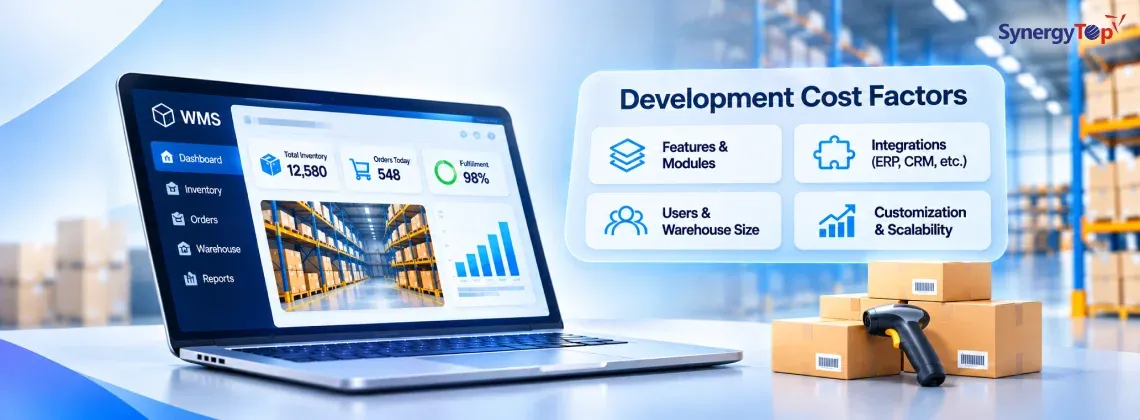
A practical 2026 planning range is roughly 30,000–60,000 for a focused WMS MVP, 60,000–120,000 for a more complete single or multi-warehouse platform, and 150,000–300,000+ for an enterprise system with complex integrations, automation, RFID, 3PL functionality, or advanced analytics.
Those figures are planning ranges, not fixed quotations. Your actual cost depends on how your warehouse works.
What Does a Custom WMS Actually Need to Manage?
A Warehouse Management System is much more than an inventory list.
Microsoft describes modern warehouse management as controlling the movement of goods from the moment a truck reaches the dock until the shipment leaves the warehouse. That includes inbound receiving, storage locations, inventory availability, warehouse work, picking, packing, mobile operations, automation, and transportation-related workflows. Microsoft’s Warehouse Management overview
That scope explains why two WMS projects can have completely different budgets.
A distributor operating one warehouse with 3,000 SKUs and basic barcode scanning may need a relatively straightforward platform. A 3PL operating six warehouses for multiple customers may require client-level inventory separation, billing logic, batch tracking, different picking strategies, carrier integrations, customer portals, and detailed audit trails.
Both are called warehouse management systems.
They are not the same software project.
How Much Should You Budget?
A useful starting point is:
| Custom WMS Type | Typical Planning Budget |
| Basic WMS / MVP | 30,000–60,000 |
| Full Single-Warehouse WMS | 60,000–100,000 |
| Multi-Warehouse + ERP Integration | 80,000–150,000 |
| 3PL / Enterprise WMS | 150,000–300,000+ |
Recent 2026 industry estimates show a similar spread. One development-cost analysis places an MVP WMS around 30,000–60,000, mid-complexity implementations around 60,000–100,000, and enterprise systems at $150,000+, depending on integrations, automation, security, and scalability.
ScienceSoft gives an even higher range of roughly 200,000–400,000 for an average-complexity custom WMS, emphasizing that warehouse count, modules, integrations, and data migration can materially change the budget.
That is why the right question is not:
“How much does a WMS cost?”
It is:
“What does our warehouse need the software to control?”
Inventory Accuracy Is Usually the First Pain to Solve
Many businesses begin evaluating a WMS because the ERP says one quantity while warehouse staff find another.
This can happen because receipts are entered late, stock is moved without being recorded, damaged items remain available in the system, or warehouse staff maintain separate spreadsheets to keep operations moving.
A custom WMS can make every stock movement a controlled transaction.
When goods arrive, they are received and identified. When stock is moved, the destination location is recorded. When an order is picked, inventory is deducted from the correct bin or pallet. When a return arrives, its status is controlled before it becomes available for sale again.
This creates much better inventory visibility than periodically reconciling spreadsheets with physical counts.
If your current operation still depends heavily on manual Excel workflows, SynergyTop’s Custom Software Development Services can help convert those repeatable warehouse processes into a controlled system rather than simply recreating spreadsheets online.
Barcode, QR, or RFID Can Change the Development Cost
Barcode scanning is common in warehouse applications because it reduces manual typing and helps validate the movement of products.
A warehouse worker may scan a purchase order, product, bin location, pallet, and shipment before completing a transaction.
That sounds simple, but the software still needs to define what happens when the wrong SKU is scanned, inventory is in the wrong location, a batch has expired, or only part of an order is available.
RFID can add another level of automation but also increases hardware, infrastructure, and integration complexity.
You should therefore choose the technology based on the operational problem rather than assuming the most advanced option will automatically produce the best ROI.
Picking Logic Is Where Warehouse Complexity Becomes Visible
One of the biggest differences between simple inventory software and a real WMS is how the system tells warehouse employees what to do.
A smaller operation may use simple order-by-order picking.
A larger warehouse may need wave picking, batch picking, zone picking, priority orders, replenishment rules, or optimized pick paths.
The software may also need to decide which stock should be picked first based on expiry date, batch, serial number, customer requirement, or inventory location.
Every additional rule adds development and testing effort.
But this is also where a good WMS can create significant operational value. Reducing walking distance, preventing wrong picks, and prioritizing urgent orders directly affects warehouse productivity.
ERP Integration Can Be More Important Than the WMS Interface
A custom WMS should not become another isolated application.
If the ERP creates an order and employees then manually enter it again into the WMS, you have created another operational problem.
A better architecture might look like:
Purchase Order → ERP → WMS Receiving → Inventory → Picking → Packing → Shipping → ERP / Billing
Sales orders can move automatically from the ERP into the warehouse system. Once goods are packed and dispatched, the WMS can return fulfillment information so invoicing or customer communication can continue.
Common integrations may include SAP, Microsoft Dynamics, NetSuite, custom ERPs, Shopify, marketplaces, shipping carriers, accounting systems, and other internal applications.
SynergyTop has experience building complex integrations and data synchronization between business platforms. Its Application Management Services are particularly relevant when an existing ERP or legacy application must remain in place while new warehouse functionality is added around it.
Multi-Warehouse and 3PL Requirements Increase Cost Quickly
Managing one warehouse is very different from managing several.
A multi-warehouse system may need inter-warehouse transfers, centralized inventory visibility, warehouse-specific permissions, stock allocation rules, and reporting across locations.
A 3PL environment can be even more complex because the system may need to separate inventory by customer while operating within the same physical facility.
Different clients may also have different receiving rules, labeling requirements, billing structures, reports, and integrations.
This is why warehouse count and business model matter more than simply counting users.
If the system itself will become a core software product for a logistics or 3PL company, SynergyTop’s Product Engineering Services can support a phased approach where core warehouse functionality launches first and more advanced modules are added as operations scale.
Do You Need Every Feature in Version One?
Usually not.
Trying to build every possible warehouse function before launch increases both risk and budget.
A practical first version may focus on receiving, SKU and location management, inventory movements, barcode scanning, picking, packing, dispatch, user roles, and basic reporting.
Once those workflows are stable, the next phases can add multi-warehouse operations, advanced picking, replenishment, returns, carrier integrations, customer portals, RFID, automation, forecasting, or AI.
This approach also allows warehouse staff to start using the system earlier and provide real operational feedback.
The best WMS is not the one with the longest feature list.
It is the one warehouse employees actually use correctly every day.
Custom WMS or Off-the-Shelf Software?
Not every warehouse needs custom development.
If your warehouse operates using standard receiving, put-away, picking, packing, and shipping processes, an existing WMS may be faster and cheaper.
Custom development becomes more attractive when your operation depends on unusual workflows, extensive integrations, high user counts, customer-specific requirements, or business rules that standard platforms cannot support without expensive customization.
One current 2026 WMS pricing analysis estimates cloud products at roughly 100–500 per user per month, while custom implementations can range from tens of thousands to significantly more depending on scope.
This is why a three-to-five-year cost comparison is useful.
If an existing product works well and remains affordable, buy it.
If you are paying significant licensing fees while warehouse staff still depend on spreadsheets and workarounds, custom development deserves evaluation.
What Information Is Needed for an Accurate WMS Quote?
You do not need to write a hundred-page requirements document.
A development team can begin with your operation.
Share how many warehouses you have, approximate SKU count, orders per day, warehouse users, current receiving and picking workflow, barcode or RFID requirements, existing ERP, shipping systems, and the biggest operational problems.
Also explain what currently happens when inventory is wrong.
Does it create delayed dispatch? Overselling? Wrong shipments? Customer complaints? Hours of reconciliation?
That information is more valuable than simply saying, “We need a warehouse management system.”
FAQs
1. How much does it cost to build a custom warehouse management system?
A focused WMS MVP may cost approximately 30,000–60,000, while a complete system with multiple workflows and integrations may require 60,000–150,000. Multi-warehouse, 3PL, RFID, or enterprise platforms can exceed $150,000.
2. How long does custom WMS development take?
A focused first version may take several months. Complex multi-warehouse or enterprise implementations often require phased development, integration, migration, testing, and warehouse rollout.
3. Can a custom WMS integrate with our ERP?
Yes. A WMS can usually exchange purchase orders, sales orders, inventory, fulfillment status, and other operational data with ERP systems that support suitable APIs or integration methods.
4. Do we need barcode or RFID?
Not necessarily. Barcode scanning is sufficient for many warehouses. RFID can provide additional automation where transaction volume, speed, or operational requirements justify the extra hardware and integration cost.
5. Is custom WMS better than SaaS?
Not always. SaaS is often better for standard warehouse operations. Custom software becomes more attractive when workflows, integrations, scale, or customer requirements make packaged products inefficient.
6. Can we replace Excel-based warehouse operations gradually?
Yes. A phased implementation can move receiving, inventory, picking, and dispatch into the system first while other processes remain temporarily unchanged.
Get a Custom WMS Development Estimate
If your warehouse is still dealing with inventory mismatches, manual stock updates, slow picking, delayed dispatch, disconnected ERP data, or spreadsheets that only a few employees fully understand, the first step is not choosing technology.
It is understanding the workflow.
Share with SynergyTop your warehouse count, SKU volume, daily orders, current software, ERP integrations, scanning requirements, and the warehouse problem costing you the most time or money.
We can help determine which functions need custom development, which existing systems should remain, how the integrations should work, and what a realistic implementation budget looks like.