contact@synergytop.com
 +1 619-349-4911




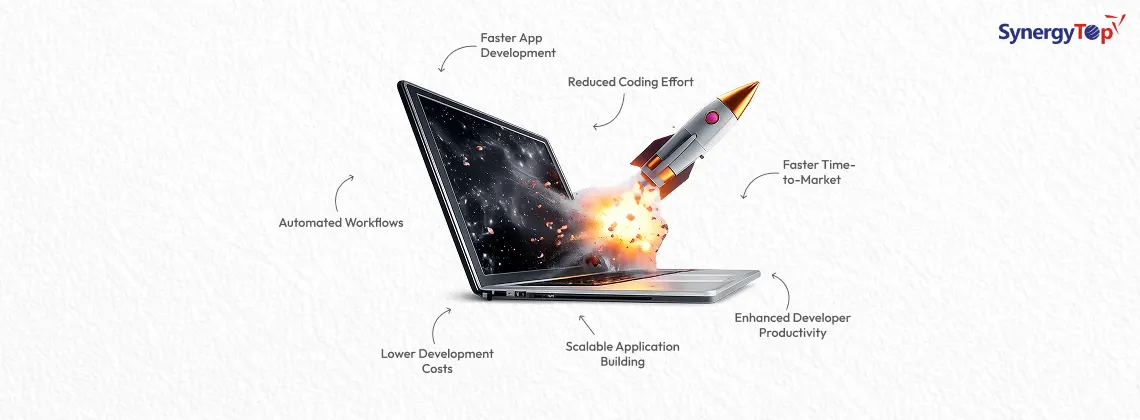


Low-code tools didn’t become popular overnight. They showed up because software teams were stretched thin. Delivery timelines got shorter. Business requirements kept changing. And traditional development, while powerful, often couldn’t keep up with the pace expected today.
According to recent industry research, over 65% of application development activity is expected to involve low-code platforms in some form. That alone tells you this is no longer a niche experiment. Low-code has become a practical response to real-world pressure.
But popularity doesn’t automatically mean fit.
If you’re thinking about jumping on the low-code bandwagon, the smartest first step isn’t choosing a tool. It’s understanding which tools actually help you move faster without creating long-term friction.
Here are 10 low-code tools that are helping teams speed up software development in 2026, when used for the right reasons.
Top 10 Low-Code Tools to Speed Up Software Development
Low-code tools all promise speed. In practice, they speed up different parts of development, and they slow down others if you’re not careful. Some shine in internal tooling, some in workflows, and some in early product builds. These notes come from how teams actually use them once the excitement wears off.
1. Microsoft Power Apps
Power Apps works best when you don’t fight it. Teams that are already deep into Microsoft 365 usually see value quickly because the data sources and identity management are already there. Where it helps most is internal apps that would otherwise sit forever in Excel or email chains.
The moment you try to stretch it into a complex, highly customized product, things can feel restrictive. Used within its lane, though, it genuinely cuts weeks of development time.
2. OutSystems
OutSystems is one of the few low-code platforms that feels comfortable handling serious applications. It supports more complex logic, cleaner architecture, and better performance tuning than most visual builders.
What teams appreciate after a few months is that it doesn’t trap you early. You can start visually and still bring in deeper engineering practices as the system grows. It’s not lightweight, but it’s built for long-term use.
3. Mendix
Mendix is often chosen by teams modernizing older systems, and that’s where it really shines. It allows you to move quickly without disconnecting from existing enterprise architecture.
The platform works best when developers stay involved. Business users can contribute, but the real value shows up when technical teams guide structure, integrations, and scaling decisions from day one.
4. Bubble
Bubble is powerful, but it requires discipline. Teams love it because they can build full applications without traditional code, and early progress feels incredibly fast.
The challenge shows up later. As workflows grow more complex, performance and structure need careful planning. Teams that treat Bubble as a shortcut often struggle. Teams that treat it like real software tend to get much better results.
5. Appian
Appian is less about flashy UI and more about order. It’s built for environments where approvals, compliance, and repeatable processes matter.
Teams using Appian successfully usually have clear workflows they want to formalize. If your biggest pain is manual process sprawl, Appian can bring clarity quickly. If you’re building a consumer product, it may feel heavy.
6. Retool
Retool is what many engineering teams wish internal tooling always was. It removes the boring parts of building dashboards and admin panels while still letting developers stay in control.
It’s especially useful when internal tools are slowing down product teams. Retool doesn’t replace backend work, but it dramatically reduces the effort needed to expose that work in usable interfaces.
7. Zoho Creator
Zoho Creator feels practical. It doesn’t try to be everything, but it covers common business needs well. Teams use it to replace spreadsheets, email approvals, and manual tracking with something more structured.
It works best when expectations are clear. It’s not built for highly complex systems, but for operational efficiency, it delivers solid value.
8. ServiceNow App Engine
ServiceNow’s low-code platform makes sense when you’re already living inside ServiceNow. Instead of building separate tools, teams can extend workflows they already rely on.
The real benefit is consistency. Data stays connected, processes stay visible, and changes don’t require reinventing the wheel every time.
9. Quickbase
Quickbase is often underestimated. It’s not flashy, but it’s reliable for operational apps that need to evolve as teams learn what they actually need.
It’s commonly used where requirements change often and visibility matters more than custom UI. Over time, teams appreciate how quickly they can adapt without restarting development cycles.
10. Webflow
Webflow earns its place by removing friction between design and development. Teams spend less time translating mockups into code and more time refining real experiences.
For marketing sites, landing pages, and content-heavy platforms, Webflow helps teams ship polished results without long handoffs or constant rework.
Here’s a quick summary of all the low code software development tools we’ve discussed:
| Tool | How It Speeds Up Development |
|---|---|
| Microsoft Power Apps | Quickly builds internal apps with familiar Microsoft integrations |
| OutSystems | Handles complex enterprise applications visually and with extensibility |
| Mendix | Accelerates modernization of legacy systems with visual + full-stack control |
| Bubble | Rapid MVP and early-stage web app development without coding |
| Appian | Automates and structures business processes for internal efficiency |
| Retool | Speeds up internal dashboards and admin tools while keeping dev control |
| Zoho Creator | Replaces spreadsheets and manual processes for SMB operations |
| ServiceNow App Engine | Extends existing workflows for faster enterprise process apps |
| Quickbase | Builds evolving operational applications quickly with minimal friction |
| Webflow | Rapidly creates responsive, polished frontend sites without coding |
Before You Get Started with Low-Code
Low-code tools are powerful, but they are not magic.
One common misconception is that low-code eliminates the need for experienced developers. In reality, low-code changes where expertise is applied, not whether it’s needed.
Architecture decisions still matter. Integration choices still matter. Security, scalability, and performance still matter. Without proper guidance, teams can move fast early and slow down later when systems become harder to extend or maintain.
This is where experience makes a real difference.
At SynergyTop, we’ve been developing software solutions for the past 10+ years. And we’ve helped teams approach low-code thoughtfully. That means:
- Helping choose the right low-code tool for your actual use case
- Designing architectures that won’t limit you later
- Integrating low-code platforms with existing systems
- Knowing when to combine low-code with custom development
The goal isn’t just to move fast. It’s to move fast and build something that lasts.
Low-code works best when it’s paired with expert oversight. That way, you save time using the right tools and still get reliable, scalable outcomes.
If you’re exploring low-code for your next project, having the right partner can make the difference between a quick win and a long-term headache. Schedule an initial discussion with our software development experts to see which tools are best suited for your project.
FAQs
Can low-code tools fully take the place of traditional development?
Not really. Low-code can help speed up the process of building apps, especially for internal tools and simple workflows, but it can’t do everything. You’ll still need skilled developers for complex logic, integrations, and scaling. Think of it as a way to achieve faster results while keeping the experts involved.
How do I choose the right low-code tool for my team?
It really depends on what you want to create and who will be using it. Different platforms are needed for internal apps, customer-facing applications, simple workflows, or more complex systems. It might help to try out a few tools and chat with someone who’s already used them to make the process smoother.
Will low-code actually save money in the long run?
It can, but only with careful planning. Low-code is fantastic for speed, but if you don’t set it up right, keep up with maintenance, or ensure scalability, costs can rise later on. Mixing low-code tools with some expert advice usually offers the best blend of speed, quality, and long-term savings.
Are low-code apps secure enough for large companies?
Most leading low-code platforms have solid security features, like user roles and compliance controls. However, security doesn’t just happen automatically; how you set up the app is crucial. Having experts help you ensure your app meets company and regulatory standards can prevent any unexpected issues down the line.
How do we maintain and scale low-code apps as we expand?
Planning ahead is essential. Low-code apps require a solid structure, clear documentation, and occasionally custom coding to scale effectively. With the right support, you can keep your apps adaptable, easy to update, and prepared for growth as your business evolves.