contact@synergytop.com
 +1 619-349-4911


- All (220)
- Artificial Intelligence (3)
- Augmented Reality (5)
- AWS (8)
- Creative (2)
- DevOps (6)
- Digital Marketing (24)
- Ecommerce (63)
- Enterprise (5)
- ERP (4)
- Flutter (2)
- Full Stack (3)
- Machine Learning (1)
- Magento (3)
- Mobile Technology (4)
- Oracle (3)
- Oracle Commerce (15)
- Progressive Web App (6)
- PWA (2)
- Python (3)
- React JS (7)
- React Native (2)
- SAP (1)
- Shopify (4)
- Software Development (20)
- Web Development (5)
- Web Technology (20)
- WordPress (13)
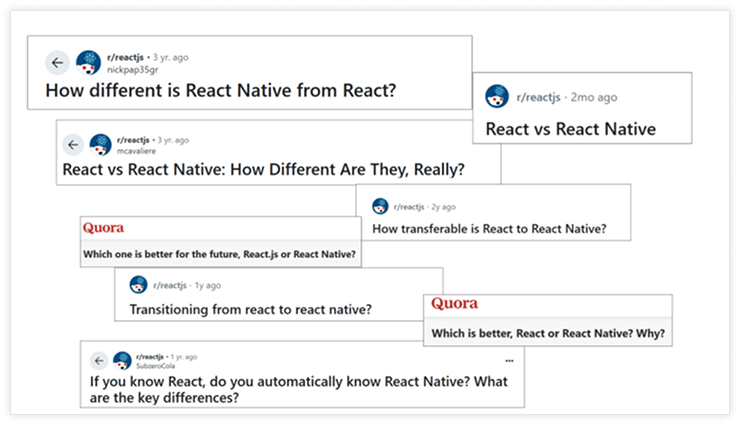
If you’re trying to choose between React and React Native for your next project, you’re not
alone. Q & A platforms like Quora and Reddit are filled with people asking the same
question.
And this confusion is common among business leaders.
At first glance, both seem similar. In fact, they are similar in many ways – other than
their names. But React and React Native are fundamentally different.
And this difference between React and React Native plays an important role in your
app’s:
- Performance
- Development cost
- Long-term scalability
At SynergyTop, we’ve helped 500+ clients navigate these decisions with confidence. With over a decade of experience in custom software development and digital transformation, we understand the subtle yet significant nuances of ReactJS vs. React Native. In this blog, we will distil our years of experience to help you make an informed decision.
In this blog, we’ll:
- Unpack the core differences between React and React Native
- Share our inputs on when to use each
- Help you make an informed decision
Instead, it’s about aligning your technical foundation with your business goals.
Understanding the Basics
What is React?
React (also known as
ReactJS) is a JavaScript library developed by Facebook. It is specifically
designed for building fast and interactive user interfaces for web apps. It’s
component-based, which means the UI can be broken into reusable pieces. This makes
development more efficient and maintainable.
ReactJS development services are widely used to
build:
- Single-page applications (SPAs)
- Interactive dashboards
- Dynamic frontends for websites
- Fast rendering with Virtual DOM
- SEO limitations in SPAs
- Reusable component architecture
- Requires third-party tools for routing, state management
- Strong community and ecosystem
- Browser-only; not suitable for native apps
Frequently Asked Questions
About The Author

Jayesh Totla
Jayesh Totla is the co-founder of SynergyTop and a passionate tech leader with 18+ years in software development and digital transformation. From custom software development, web and mobile application development to scalable enterprise solutions, he’s helped businesses of all sizes turn ideas into powerful technology. Jayesh combines deep technical know-how with a practical, business-first approach to build solutions that truly make a difference.
Connect with Jayesh via LinkedIn.Share this story, Choose your platform!


Let’s Explore

4.9

Rating on Clutch

4.9
Rating on Clutch

4.9
Rating on Clutch

4.9
Rating on Clutch

4.9
Rating on Clutch
4.9
Rating on Clutch
Our Related Blogs
"Insights & Innovations: Stay Updated with Our Latest Blogs"

Custom Communication Integrations: What Businesses Need to Know
Workplace failure? 86% of employees and executives blame it on lack of communication. On the other hand, effective communication is known to boost productivity by 25%....
The Impact of Product Engineering Services on Business Growth
In 2022, the product engineering services market was valued at USD 950 billion. It is anticipated that the market with grow at a CAGR of over 5% between 2023 and 2032.
Healthcare App Development for Businesses: Essential Features and ...
After the COVID pandemic, the world of healthcare has changed drastically. People are very conscious about their health.